Please note that all physical purchases on the site are restricted to UK delivery only. This does not apply to digital downloads like manuals which are available globally. Dismiss
Konica Pop Review: Dating from 1982 the Konica Pop is a classic budget point and shoot. This one comes from 1985 or later as its shows the ‘Hexanon’ lens marking. The lens is stated as being a 36mm f4 and is of course fix focused.
The specification for the shutter was 125th but I timed this one at 90th of a second based on the results of my ZTS shutter tester. Most SLRs will have a deviance of about 20% but the Konica Pop would show a 28% deviance – possibly acceptable and of course there’s no way of knowing how age may have affected it. The lens on this one was minty fresh and showed no issues though. The lens on these was a fixed aperture with a maximum aperture of f4 – I would guess its minimum at around f8 based on its film stops.
The only way to adjust aperture is by changing the film speed ISO/ASA setting which is limited to 100, 200 or 400 ASA. Each step in the ASA setting basically opens/closes the lens aperture by 1 stop.
The Konica Pop sold around 1.5 million units in a range of colours including pink, yellow, blue, white, green, red and of course black and while it was undoubtedly popular in its day its frankly a bit of a horror. Don’t be fooled by that Hexanon script on the lens we are talking toy camera territory here!
Konica Pop – the Pop-Up Flash. It’s not automatic you have to press the button! What did you expect on a camera this cheap?
I found this one in a charity shop and typically someone had left its two AA batteries inside to melt down. Fixing it was a complete nightmare as the original owner or someone else had managed to bust the battery cover, probably while trying to get the batteries out. Repairing this was an exercise in drilling out some tiny holes to fit plastic lugs to hold the whole thing together and fixing this probably took longer than rebuilding a 35mm SLR.
On top of battery chamber woes the finish on these cant take Isoprop Alcohol. It bleaches the colour out of the plastic! This made getting the light seals out a complete perisher of a job. As if it couldn’t be made tougher Konica glued the light seals in with something akin to a contact or epoxy glue! This made removing them a horror job. Needless to say the seals in this one were shot to pieces.
The awkward seals that wrap around almost the entire perimeter of the body AND the door!
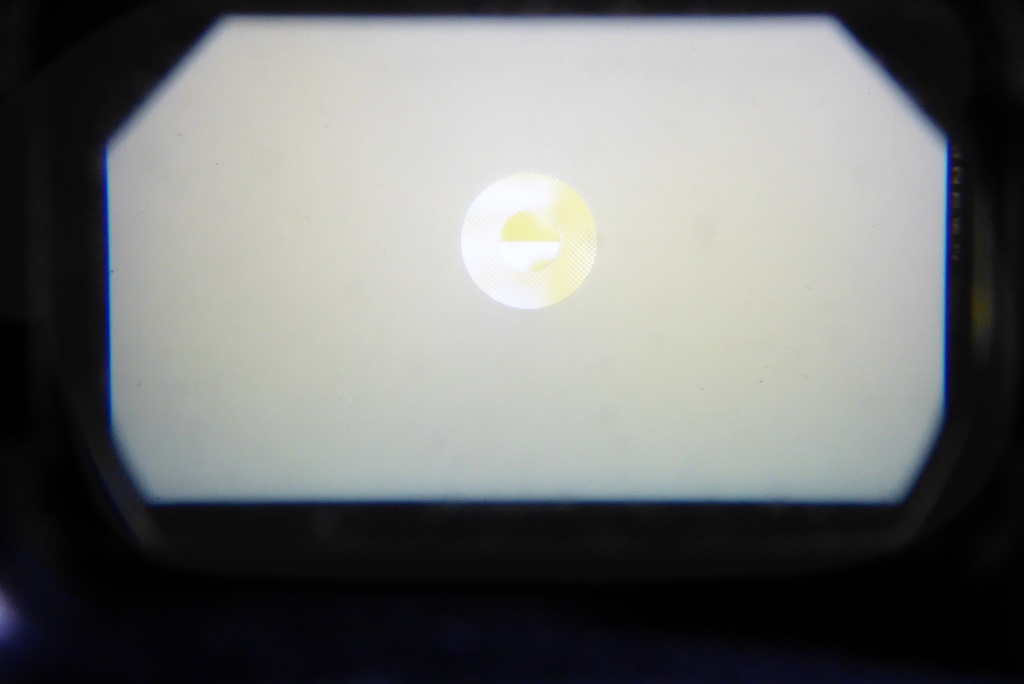
The camera features a pop up flash (hence the ‘Pop’ name) and a press in switch to manage flash reduction if you are close to the subject. The viewfinder is like something from a Christmas cracker with a kind of faux ‘brightline’ frame to correct for any parallax errors but you do get a red warning light if the light levels are too low and of course a flash ready neon indicator. The low light LED is driven by a CdS cell on the front of the camera. The camera is wholly mechanical of course, the batteries are only there to drive the flash and activate the low low-light warning. So if you bagged one with a wrecked battery chamber you could still shoot with it in daylight conditions.
Konica Pop – the Pop-Up Flash. It’s not automatic you have to press the button! What did you expect on a camera this cheap?
The viewfinder showing the red low-light warning LED, flash ready indicator and faux leather – like putting lipstick on a pig!
It’s as simple as camera as possible with almost no user input at all – just wind on and fire in most situations. What enterprising manufacturers before the age of auto-focus used to call focus free. Rewinding is accomplished by a fold out metal crank handle on the base of the camera. It also quixotically has a tripod mount which seems a bit superfluous with a fixed shutter speed and no self timer but the Konica boys probably thought they may as well do it just in case they got a bad review – frankly from this sample I cant see how they would ever have gotten a good one!
The bizarre rewinder and pointless tripod mount. Hard to believe it was ever used by anyone.
Thanks to a bit of an accident with the first roll of film (alright I opened the film door without rewinding for the first time ever in about 10,000 rolls of film and 50 years of photography), I had to rush back to the charity shop I was repairing this for and beg to borrow it again so I could quickly bash through a roll of FP4.
With some experience of the camera you could, with some practice shots control aperture through the ASA rating. Black and white film is tolerant of two stops so you could probably use the ASA to manage as a rough and ready aperture control. For the film I shot I had to work blind to any issues having no experience with the camera so shot everything at ASA 100 and told the lab to work to that film speed.
As a result the camera would have been operating at its widest aperture so it could perhaps be improved with faster film and the resulting smaller aperture. Anyway, here’s some pics shot with it. Sunlight was bright around midday and I had to work fast in a town centre to get a roll of 36 shot.
Busker – Shot from shadow into light. Notice how mid distance is focused but far distance is soft due to the relatively fast f4 aperture.
Market stall owner -Sweet spot in focus but notice how its soft again in the distance – possibly setting the ASA to 400 may have helped.
Just Waiting – Note upper left as the lens goes super soft at its edges. Typical for a very cheap wide angle style.
So there you go. You may conclude from my relentless banging on about it that it’s simply terrible and from a repair perspective it was. Even a simple job like the light seals took a serious chunk of time even for a wizened old pro like me. The output was pretty dreadful, worse than the Instamatic 33 I had as a pre-teen BUT on the whole its a fun ‘toy camera’ to shoot with and I have to say despite its cheapness and overall rather poor quality it had a kind of charm to work with. You have to remember these were sold to mums and dads to get family pictures at the beach so its focus range was probably optimised for aunts, uncles and little Timmy at quite close quarters.
The restore work for this was done for a local charity shop as these cameras seem popular with hipsters and I offered to get the camera fully running so they could perhaps make some money rather than it being sold as junk.
Oddly enough on my return to the shop to hand the camera back after the roll of FP4 I got chatting with a student of film and they decided to buy the Konica Pop from the shop despite me pointing out a nice Miranda I tested and did some restore work on to help the shop out. The student was kind of wedded to the hipster vibe and I think they may have called it right. As a simple, uncomplicated intro to film it may well work well for them. Certainly with a bit of experience the Konica Pop may well turn out some interesting shots. It has an immediacy to it that more sophisticated cameras can never really achieve.
So…Summing up the Konica Pop – Its cheap, its nasty but its carefree and kind of fun. If it gets someone inducted into the magic of film it’s serving a worthy purpose and of course it was £35 in the till for the Princess Alice Charity so it’s all good.
Thank you all so much for visiting our site and for the great feedback. This site is also a labour of love and we are passionate about keeping it alive for as long as possible. If you found this site/page helpful why not buy us a coffee to say thank you and say hi. We love to hear how you get on with our tutorials and articles. Mel xx
Mel is one of the driving forces behind High 5 Cameras and writes all our articles.
Starting serious photography back in 1972. Over the years she got to shoot film with most of the major brands in 35mm and large format as both a studio photographer and content provider for websites in the early life of the web. These days she is rediscovering photography and has become the GOTO person for knowledge on camera repair advice.
The Minolta XG-1 was the second in the XG series launched in 1977 as a budget camera to complement the top of the line XD series. Unlike its predecessor the SRT series, the XG series was all electronic. By the time the XG series came to market the SRT series was looking tired but would soldier on until 1981. The XG series would continue to use the outdated CdS metering cells (unlike the XD which was using the latest silicon cells) but it had an all electronic shutter. In the aperture-priority automatic mode, the electronically governed shutter provides stepless speeds from 1s to 1/1000s.
The XG-1, like others in the XG series was geared for those on a budget or the beginner and was designed to operate mostly in aperture priority auto mode. The XG series also introduced a touch sensitive shutter release which would be carried over onto the X-x00 range. With the camera turned on the lightest touch of the shutter button would activate its electronics which would turn off again after 15 seconds of no activity. All XG bodies featured an ±2 EV exposure compensation dual.
One of the oddities of the XG series was the fact that the meter was inactive in manual mode and only comes alive in Auto Mode. The flagship camera of the XG series would be the XG-M which allowed metering in all modes and was launched in 1981 to fully replace the SRT series. The XG-M would lead on to the biggest selling Minolta of all time, the X-700 which is basically a turbo charged XG-M.
With the rise of a new generation of film users the humble XG-1 has been largely forgotten in the scramble for more prestigious cameras like its running mates like the SRT101, the X-700 and the glorious XD series BUT despite its humble origins the XG is still a very potent tool. This is the story of one rescued from near certain death which is why I think of this one as ‘The Revenant’.
The XG-1 as it arrived on the bench, a quick look in a shop didn’t show up how much work would be needed.
Some time back I acquired a Minolta XG-1 from a charity shop, though its pretty typical of stuff sold on eBay by sellers who claim they found it in an attic or else it was dear old dads. The camera was low enough priced that I considered it worth it just for the lens so, ignoring the inner voice that said ‘it’s going to be a horror’ I parted with a few shekels and took it home.
While the XG-1 is not highly rated I thought it would be worth my time to bring this one up to par, plus it would provide valuable learning lessons.
A cursory examination at the shop had shown it to be in quite bad shape but once I got it on the bench it turned out to be far worse than I had imagined from a glancing examination. A picture tells a thousand words so here’s some pictures of it original state.
As you can see from the main picture at the start of the article a quick look seems to suggest its ok but a closer look reveals some real horrors. These included a jammed shutter speed lock button and what looked like 40 years worth of crud inside everything.
Completely filthy case with rusted screws. The speed dial lock was jammed.
More corrosion, spring detent for the mode switch not working and flash shoe cracked.
Crack in rear of top cover, yet more issues to deal with.
Cracked, scuffed, filthy and peeling leatherette. The least of the problems.
So in short the cosmetics were a mess, in the flesh it looked ten times worse than the pictures. More worrying was the badly gummed up shutter speed dial and the jammed shutter speed lock. The XG-1 has a small silver button to lock the camera in Aperture Priority mode and this was stuck fast. The mode selector dial was also not right – there were no detents on the dial. It should have clicked into each position but instead it just twirled round.
On top of the dreadful overall appearance the camera was completely filthy, it completely reeked of tobacco smoke, old farts and cat piss. This one was going to take some time but I do love old cameras and nothing gladdens my heart so much as getting them running again.
Surprisingly, when I got the shutter speed dial lock unglued and replaced the broken shutter speed dial, the shutter speeds were bang on to factory specification, so at least I wasn’t facing a complete rebuild.
Rotting light seals, the mirror bumper being in the same shape caused bigger issues.
The viewfinder – most of this is rotting mirror bumper foam.
So this one sat on the bench for some time while I hunted for a suitable donor camera. Sure enough an XG-1 with completely blown electronics and a de-silvered prism turned up and so work could commence. One of the biggest horrors with the XG series is a delaminating prism caused by rotting foam. The first task was to get the lid off and take a look inside to find out why the shutter speed dial was jammed and its AP mode lock was stuck. This would also show why the mode selector switch detent was not working and may reveal other issues lurking under the surface.
Donor camera and shabby XG-1 get the tops removed to see whats going on.
Cleaning the mode selector tracks, the ASA and shutter speed dial also had the same treatment.
Sure enough, and as I suspected, someone had been messing in here before. The shutter speed and ASA dial were damaged and someone had applied something that looked like Bostik glue to repair them which had leaked onto the AP mode lock button gubbins. It took a very patient hour or so to remove the glue residue and lightly lubricate the lock so that it worked perfectly. The mode selector was missing its small ball bearing. Thankfully the rewind spindle (a common fail on these when handled by the clueless) was intact. What happens is people pull too hard on the rewind spindle to release the door, usually because the seals have gone gummy and jammed the door shut. Relentless pulling on the rewind capstan spindle eventually cracks the spindles shaft. Without the shaft intact theres not much to hold the top cover down or the mode selector so the ball bearing is often lost. Thankfully the donor camera had a full set of usable parts to replace the broken and missing parts on the XG-1 under refurbishment. Sadly the donors cameras leatherwork was in as bad a state as the original camera. The XG-1 used the Minolta soft vinyl leatherette and unfortunately this shrink over time and it’s seldom in a good condition.
Another small detail – missing red index mark for the lens mounting.
More trouble in store. Rusty door hinge needs replacing.
With the shutter speed and mode dial working the camera was set up for shutter testing and amazingly returned results well inside factory specification so at least it would not need a full strip down. Even with the shutter going well a lot of work was needed cleaning the top PCB and cleaning out the various resistor tracks which had gummed up. The winding gears, where required, were lightly oiled or greased appropriately and then the remaining light seals and mirror bumper were stripped out ready for replacement. It was now time to do the deep cleaning work on the camera to get its optics sparkling and also clean up the aperture resistor as the camera could be a little skittish when shifting aperture.
Cleaning the aperture resistor strip.
Cleaning the aperture follower ring brushes.
Cleaning the aperture resistor strip is relatively straightforward using some contact cleaner or Isoprop but cleaning the follower ring brushes gives me the yips each and every time. I normally drop a bit of Isoprop or contact cleaner on with a Q-Tip and then VERY gently rub the brushes with a contact abrasive block. The brushes have to be supported during this by a small screwdriver to stop them from being bent. The brushes are incredibly fragile and breakage here is a disaster.
Now it was time to get to work on the optics…
BEFORE – A huge amount of dirt and dust inside the mirror box.
AFTER – This was taken when she was almost completed.
The optical train needed a lot of care. With the top off the eyepiece assembly was carefully cleaned with distilled water and Isoprop and then softly buffed. The prism surfaces were given a clean. Normally I would only use distilled water but in this case decaying muck form the mirror bumper had gotten between the focus screen and the prism. So a mild and very careful clean with dilute Isoprop was used. Similarly the prism surface facing the eyepiece was contaminated with what I assume was old tobacco smoke and this also needed cleaning with Isoprop and distilled water.
The focus screen was totally filthy with gum from light seals and tobacco smoke. Normally I clean focus screens with my favourite method of immersion in water with a very mild detergent before being flushed in distilled water and cold air blown dry. This screen was so bad I had to resort to a technique I adapted from cleaning telescope mirrors. I apply a blob of mild washing up liquid, this has to be bleach free and ideally pH neutral or close to it. Focus screens don’t like harsh chemicals as they can melt or be otherwise ruined. I Apply a blob of the washing up liquid onto the screen and gently agitate it with my finger which has been softened with soap beforehand. The object is not to rub my fingers on the screen which will damage it but to gently roll the blob of liquid around – the finger just rides on the blob of liquid. Once done it’s flushed off with clean water. I like to do a final rinse with distilled water and then cold air blow dry with a rocket blower. The distilled water never leaves any residue. Done carefully and well this usually returns excellent results.
The mirror was cleaned with breath and gentle application of a Q-Tip. It’s best on a mirror to avoid any chemicals. During this process the mirror box was cleaned out of stray particles using low tack tape to adhere to the surfaces and then being pulled away before being carefully cleaned with a moist cotton bud and then finally vacuumed and blown out. The final finish was very pleasing and the view through the viewfinder was immaculate.
A new mirror bumper was installed after cleaning the optics out and then the focus screen was replaced.
The state of the viewfinder as it was…
…after cleaning of the prism, mirror and focus screen.
After a complete cleaning, some judicious lubrication and some slight tweaking the camera body came back onto form and handled like almost new. It was now time to get on with the lens and get some good quality light seals fitted. This camera provided a nice update to the light seals guide for any XG-1 owners who may need new seals.
The lens was in a state not too different from the camera with hazy elements, stiff focus and generally dirty both inside and out. Thankfully no oil was on its aperture and no fungus in its optics. This was an an early model MD 50mm f1.7 lens and was most likely the original lens with the camera. Wherever possible I try and keep all refurbishments accurate, using whatever lens would have been supplied with the camera. A great many XG-1s were supplied with the Rokkor 45mm f2 which, believe it or not, was a cheap lens back when the XG-1 was a budget camera for the aspiring photographer.
Trimming the XG-1 – new light seals…plus new hinge and screws.
…and a new red lens mounting index mark.
Lens completely stripped and cleaned ready for reassembly and fresh lubricants.
Test shot taken with the restored XG-1 – Seems to be working just fine.
With the XG-1 and its lens fully refurbished it was time to get out and shoot with it to make sure that under real life conditions she would run reliably. I never sell a camera I wouldn’t be happy to shoot with myself and the XG-1 is no exception
The original poor quality leatherette was lightly glued into place and she was taken out for a run at the Surrey Sculpture park with some Ilford FP4.
I have to say for all the bad mouthing the XG-1 gets from camera snobs she shot wonderfully well and I found myself enjoying this most humble of Minoltas creations. For someone new to film this camera offers quite a bit. It has a very positive feel, a nice smooth film advance and a very smooth shutter pull off. It’s light and compact and its AP mode is spot on at getting a good exposure.
The lens returned some beautifully sharp images but I chose this one to illustrate the article as it kind of sums up how I felt at times getting this one going.
After film testing had produced some very satisfactory images the only challenge left was to get the leatherette sorted out. Normally I would stick with whatever the camera had originally but I felt after all the work that’s gone into this one she deserved a little something special so opted for a two-tone red leatherette from Hugo Studios. The original leatherette was removed and the camera surfaces cleaned of any residues with a mild Isoprop solution. Replacing leatherette has its risks. On many cameras it forms part of the light sealing. Under the back door of an XG there are numerous holes. I imagine these were originally for a film memo holder that was never fitted to the early XGs. To prevent any possible problems for a future owner I sealed these with some insulation tape under the leatherette and small patches of light flocking on the inner door beneath the film pressure plate.
With her new leatherette, new top plate and cleaned up body parts she really does look very beautiful.
The new top cover and controls.
New top cover fully cleaned and repaired mode selector.
Ready for a new lease of life – very beautiful to look at and to shoot with.
So it’s journeys end. I think of this one as the revenant for good reason. She has literally come back from the dead! Few camera techs would consider an XG economic to repair and refurbish but on the journey through I learnt more about the XG series. I doubt I would do another one as it just isn’t economic to put this kind work and resources into a camera which I cant sell at a price that makes any sense but, for someone out there the revenant will be a beautiful camera to use and enjoy. Whoever that person is I wish them happy shooting and may all of their pictures be as beautiful as the camera that took them.
My thanks to Eugene Pate of Learn camera Repair for his amazingly useful guide on the XG and to all of the folk on the Learn Camera Repair FB group for their help encouragement over the past few years which has helped give me the skills and confidence to tackle repairs to so many cameras.
Thank you all so much for visiting our site and for the great feedback. This site is also a labour of love and we are passionate about keeping it alive for as long as possible. If you found this site/page helpful why not buy us a coffee to say thank you and say hi. We love to hear how you get on with our tutorials and articles. Mel xx
Mel is one of the driving forces behind High 5 Cameras and writes all our articles.
Starting serious photography back in 1972. Over the years she got to shoot film with most of the major brands in 35mm and large format as both a studio photographer and content provider for websites in the early life of the web. These days she is rediscovering photography and has become the GOTO person for knowledge on camera repair advice.
If you have read the previous articles about buying cameras on eBay then this quick film camera buyers guide will give you the essentials for the most common cameras for sale.
This film camera buyers guide is not fully comprehensive, doesn’t cover every 35mm SLR ever made but is based on hard-won experience of cameras we have collected and curated.
Before you make any decisions on which camera its a good idea to check out what the accessories will cost and what the downsides may be. if you want to do fast action work it’s obviously best to make sure that your chosen camera can accept a film winder and what the costs may look like plus reliability. Pentax winders for the MX series are notorious for breakdowns. Generally motor drives are not a great idea on an old film camera. They place a strain on the mechanics of the camera and these are now old you are running a risk each time you press the button. It’s rather like running a vintage car flat out – expect trouble.
You may also want to consider lenses. These can vary widely and exotic lenses are ALWAYS expensive no matter the make but its best to check this out before making a decision. Canon and Nikon lenses are often very pricey where Pentax and Minolta are relatively inexpensive. Of course there are third party lenses which wont break the bank so you always have alternatives but it’s a good idea to check out the costs before you commit to the camera.
Minolta – Film Camera Buyers Guide
Minolta SRT Series
Original SRT 101, and the Penultimate SRT 303 – Solid, reliable and with excellent lenses available.
One of the last bargains on the shelf. SRTS are readily available at low prices. Built like a tank and generally reliable, plus almost any professional tech can fix them. However, you should be aware of potential issues: –
Meter failure – is very common in SRTs. This may be a simple fix but it very often indicates one or both of the meter cells are dead. There’s no easy fix as spares are no longer available, so you will need a donor camera. Of course, you can just use an external light meter.
Shutter issues – of the dozen or more SRTs bought from eBay, none have had an accurate shutter without needing some tuning. You may be ok here as black and white film has a latitude of around 2 stops. If your shutter is a bit adrift it may make no difference to your output but more serious problems like shutter capping and jams caused by dried-out lubrication are also common and may ruin your pictures.
Aperture read-out – the mirror can fall off and be lost on any Minolta SRT equipped with the aperture read-out feature. This only affects Minolta SRTs with the aperture read-out feature of course
Minolta XG-M and XG-x Series
Minolta XG-M flagship of the XG series and a restored XG-1 – Inexpensive and when paired with Minolta lenses capable of great pictures.
Much undervalued electronic-based Minoltas. Generally very reliable but the XG series can suffer prism de-silvering thanks to foam Minolta installed and unlike the Olympus OM-1 or Canon FTb, getting to the foam is a big job and beyond the amateur. A clear viewfinder is a must. Reject any with apparent prism de-lamination which usually shows itself as a bar or dark band around the lower edge of the view through the viewfinder. A common issue with the XG series is the film speed and aperture tracks getting clogged and causing erratic metering, this is a relatively straightforward job.
The aperture read-out mirror can fall off and be lost on any Minolta X series equipped with the aperture read-out feature.
Ludicrously inexpensive and undervalued series from Minolta. Early XG models had tantalum capacitors, later ones substituted cheaper electrolytic types and these can fail. It’s a simple job if you are handy with electronics.
The XG-M was the flagship of the XG series but can suffer shutter derails and un-serviced units can have slow shutters plus it can be prone to capacitor failure and with 4 capacitors to replace including two which are tough to get at it can be a bit of a headache. Maybe the last bargains left on the shelf for those on a budget though.
Minolta X-300, X-500 and X-700
Minolta X-700 and X-300 – X-700 is fully loaded, X-300 is more basic but still capable of excellent work.
Minolta X-500 – Preferred by some for it’s more manual approach. There were a lot fewer made so harder to find.
Generally reliable but if buying the flagship of the series the X-700 go for a serial number lower than 2000000. Later ones substituted solid and reliable tantalum capacitors for cheaper electrolytic types. The cheaper capacitors can fail and jam the camera up. Symptoms usually show up with no shutter firing and a locked-up winder. It may free itself after a power down and power up. but it will be signalling a replacement is needed soon.
Disregard people who say it’s easy to replace these unless you have soldering skills and gear to do the work. Even then you can be caught out as the X700 can suffer other issues which look like capacitor failure but are a good deal more complicated to fix.
Even if it’s a capacitor failing a dying capacitor can discharge toxic, acidic stuff onto the circuitry and destroy it in the process. DON’T assume every X700 with issues is a simple capacitor issue. Bear in mind the X-700 is an XG-M with program mode and Minolta shoehorned extra features in making it a complicated beast if the electronics are faulty. It’s become somewhat hyped like the Canon AE-1 but bargains are still out there.
X-500s are considered better by some, easier to fix a failing capacitor in them and some prefer its more manual approach. The X-300 was the budget one of the family but is still a pleasant camera to work with if a bit basic. Like all the X series the 300 can suffer capacitor issues but it’s relatively simple to fix if you are deft with soldering.
The aperture read-out mirror can fall off and be lost on any Minolta X-x00 series equipped with the aperture read-out feature.
For a full break down on the Minolta ‘X’ Series check out our in depth review HERE.
Minolta XD5 & XD7
Minolta XD7 – Perhaps the finest manual focus camera from Minolta. A delight when working but a horror when things go wrong.
The high point of manual focus from Minolta and maybe the best manual focus camera ever built by any of the major manufacturers.
This is one where a wind and firing of the camera may tell you nothing. The camera can be suffering a condition called ‘overspeed’ in this mode the camera will shoot everything at 1500th of a second. If this is happening it’s end of watch. Reject any XD which has odd shutter behaviour – chances are it will be impossible or expensive to repair.
Another problem often seen on the XD series is the air piston which acts to slow the mirror down can be clogged resulting in a very slow shutter action. It’s fixable but not easy. The XD5 and XD7 are very complex beasts it simply HAS to work so don’t con yourself a slightly substandard one will be an easy fix – they almost certainly won’t be and relatively few techs will work on them and when they do expect a fairly hefty repair bill.
Like the XG series the XDs are prone to film speed and aperture tracks getting clogged and causing erratic metering. Unlike the XG this is not a simple job for most (just getting the top off and back on again will test the average person’s patience to the limit). A full CLA (clean, lubricate and adjust) will be in the region of £175 to fix them to good operating condition. They are lovely when working but a major headache when anything goes wrong.
Like other Minoltas the aperture read-out mirror can fall off and be lost on any Minolta XD series equipped with the aperture read-out feature. This is about the ONLY simple fix with an XD.
Expect to pay a premium for a full runner. Anything else is a crapshoot.
Pentax – Film Camera Buyers Guide
Pentax ME Super
Fully manual Pentax MX and all electronic ME Super – Compact and capable small cameras.
Lovely small camera with an electronically managed shutter. Cheap as chips in un-serviced condition but serviced ones fetch a lot more. Its weak link is a group of small rubber washers inside its guts which all go to make it work. As these are relatively soft rubber they decay like light seals and once gone the problems start. The mirror sticking up is the first issue. Followed by double winding where you can wind on without firing the shutter. It’s an expensive job and professional techs usually ask about £95 to sort this out as it requires a large amount of disassembly of the camera.
Electronic failure – the ME is heavily electronic and a blowout on its main circuit board normally signals the end of life. Thankfully a complete electronics failure is relatively rare with them.
Pentax MX
Seldom seen in great condition for no easily understandable reason but there are plenty of bangers. It’s a charming fully mechanical (apart from its light meter) camera but like the ME you need to be 100% certain it’s a runner. They are nasty to work on which may well translate to mean it’s going to be hard to find a technician to work on one for you. Generally reliable but one to be wary of. Spectacle wearers may end up hating it as you need to screw your eyeball into its viewfinder to get a good view thanks to its ultra wide field of view, so if you wear glasses best to try one before you buy.
Pentax K1000
Chinese K100 – Workable, available but short on quality.
K1000 Made in Japan – Solid but basic and over priced.
Overpriced little horror. If you’re buying, DON’T get the Chinese-made version which is very heavy on plastic and known to suffer a variety of ills. Japanese versions are generally reliable and all mechanical apart from their meter. Like the Minolta SRT, the meter cell can fail and like the SRT there are no spares. Apart from the meter an easy camera to repair for almost any professional tech. Like the Canon AE-1, it’s absurdly overvalued, especially for a ‘Made in Japan’ model for what was a student camera in its day. The cheapest of the Pentax ‘K’ series back then which is what made it sell well. Today it’s not such great value and you can get the top line Pentax KX for a lot less.
Pentax KX
Premium Pentax – Flagship of the K series, an embarrassment of riches.
Seldom seen and usually priced lower when used than the beginner level K1000. The K1000 has its fans who used it as college students but it is very overpriced due to so many wanting to relive their first camera. The KX was the K series flagship, it’s built better and has a better, more accurate/reliable light meter. Like the K1000, it’s all mechanical and almost any professional tech can fix them. Unlike the K100 it has a more reliable light meter, match needle metering, speed and aperture readout in the viewfinder, depth of field preview, mirror lockup and self-timer. The best bang for the buck on the Pentax line.
Canon – Film Camera Buyers Guide
Canon AE-1
Canon AE-1 and FTb – Plastic fantastic versus old-school solid quality.
Plastic fantastic from Canon and very expensive in used condition for what was a budget camera in its day – it was the marketing budget that made it successful not its technical excellence. Generally reliable if a little clunky to use but its big weak spot is its electronics and the famous Canon cough.
The ‘cough’ will cause the mirror to return slowly after a shot. Instant experts on internet forums usually suggest squirting oil in to sort this out. DON’T, you will risk a very large repair bill – it needs a strip and clean to resolve the ‘cough’. Expect to pay around £95 for a repair job to this or more like £200 if you have been rash enough to put oil in there. Like any electronic camera from the 1970s, its electronics should be deemed suspect until proven otherwise. Like the Pentax K1000 this has suffered price inflation due to the hype.
Canon FTb
About the same as the Minolta SRT, relatively inexpensive for a huge chunk of camera. Very underrated but built like a tank and weighs almost as much as a fully loaded Nikon F. Meters can fail like the SRT and the K1000 but the biggest hazard is the prism foam. Decaying foam on the prism will cause it to de-silver. This will usually show up as two vertical lines in the viewfinder. Reject any FTb showing this. For a more comprehensive guide on this see herewhere we cover prism foam removal and replacing the prism. The early model is the best, later ones started using plastic parts and these, when handled by idiots, can show some issues like stripped gears. We reviewed this more fully in our FTb review. Like any fully mechanical camera easily repairable by almost any professional tech apart from the meter due to the lack of spare parts.
Olympus – Film Camera Buyers Guide
Olympus OM-1 & OM-2
Olympus OM-1 and OM-2 – Compact, capable and often pricey for a runner.
Like most of its peers, its meter can be a problem but generally, they run very well. Complete jams to its winder usually signal a weakened spring in its mechanics. Easily fixable by almost any professional. Expect to pay £50-£100 for this work if it needs doing.
Prism foam needs clearing off on any OM-1 & OM-2 as this will eat the prism. Reject any camera where the prism shows blotches or blurs as this may well indicate the prism has already begun de-silvering. It generally shows up as hazy black areas in the view through the viewfinder. We have a guide here to remove prism foam on these.
Good ones fetch a premium, un-serviced dross goes cheap but expect trouble.
The OM2 is basically an OM-1 with aperture priority auto mode. Unlike many of its peers, its electronics are generally reliable BUT like the OM-1 it can suffer meter failure which will stop the auto-mode from working. Both models tend to suffer from slow top speeds and adjustment is awkward – expect to pay around £100 to have one professionally calibrated.
Nikon
Nikon F Photomic – Heavy metal excellence at a price.
Nope – we ain’t covering Nikon. Why? Because any Nikon is going to be pricey unless you are down with the bottom end. Most of the bottom-end of Nikon cameras have known issues. The EM and FG are reputed to be horrors and are best avoided. I can hear the screams of Nikonistas who happen to have a good one but the reason Nikon killed off the lower end was the customer services headaches caused by unreliability.
The top-end Nikon F and F2 are a tank of a camera but you will pay a premium for a good one and a bad one will cost you twice what a good one will cost in repairs and spares. For Nikon we would suggest never buy from anyone except a specialist who knows what they are about unless you are happy to pay for servicing work afterwards which can get very expensive.
The lower-cost Nikons like the EM, FG and the F-301 unless 100% working will likely be uneconomic to repair and quite likely impossible to repair due to their construction. A good running F-301 is a delight but we had to buy four lemons to get a cherry.
Point and Shoots – Film Camera Buyers Guide
Yashica Electro 35 and Olympus mju – 2 cult point and shoot cameras. Great results but prone to terminal problems.
If 35mm SLR is not your bag and you’re seeking a point and shoot camera you REALLY need to do research.
The camera industry produced far more point-and-shoot style cameras than any other type in a dazzling variety of types, models and features.
Many, if not all, of these were produced down to a budget and were mostly bought by mums and dads for holiday snaps. They were not built with durability in mind and after 40-50 years many of these will be suffering all kinds of problems and many of these are simply unrepairable if things go wrong. So, if you have a hankering to be Peter Parker and shoot with a Yashica Electro 35 you need to do some serious reading to make sure you understand what the issues could be.
Many of these types of cameras can suffer terminal faults due to their inexpensive construction so be aware and don’t pay more than you can afford to lose.
Film Camera Buyers Guide – General for all cameras
Don’t overpay for ‘Brand New In Box’ (BNIB) unless you are a collector. BNIB cameras can and do have as many problems as any other camera. No matter how carefully stored the lubricants will break down and light seals will perish. We have bought a few BNIB cameras and they almost always needed significant work to get them shooting again and in one case the camera’s lubricants had leaked putting the camera beyond economic repair.
‘Bargain’ BNIB Minolta SR7 – Sadly the leather case had dried out, shutter was stuck and the lens needed a complete rebuild.
The single biggest issue most old cameras have is bad battery connections from oxidisation and/or corrosion. This is an easy fix for anyone requiring only the battery cap and its contact to be cleaned. The next most often raised issue is decaying light seals causing light leaks.
These two issues form the most asked-about issue by beginners on forums and both are relatively easy fixes. Beyond this you need to either invest in learning repairs and buying tools or accept you will have to pay for a pro to work on it. Generally to CLA a camera expect to pay around £75 – £150. Repair bills if stuff is busted can run quite high due to the scarcity of spares which usually means acquiring a donor camera. Even non-runners for some marques will fetch over £100 so a simple spare costing a few cents back in the ‘used to be’ may well end up costing several large these days.
Finally…
Don’t despair – there are good film cameras out there from people who know what they are selling but, like us, they generally want a much higher price for the work involved in bringing them to perfect pitch. We always shutter test and film test every camera before we sell it but few dealers bother.
Many sellers, and that includes dealers, lack the expertise or the equipment to properly assess a film camera. So, bear that in mind when buying and assume, unless the camera has been serviced, that you may have to pay for a service. Generally, a CLA (Clean, Lubricate and Adjust) will cost anywhere between £75 and £150 and you need to factor this into your buying decisions.
Remember these cameras were designed with a service every 5 years in mind – few of them will ever have received this and as a consequence, they will often run out of their original specification resulting in wasted film and frustration for the user.
The name of the game is to get pictures, enjoy (maybe even fall in love) with film, not spend your time chewing the carpet in frustration, sending stuff back down at the post office or waiting on repairs. If you really want to shoot film then don’t expect to spend less than the cheapest digital on the market because you will most likely be disappointed.
There is the occasional bargain out there (that’s why we created this film cameras buyers guide to help you) if you are patient, have done your research and are lucky – of course, we hope that you will be but if you aren’t check out our shop for a range of fully tested gear.
Thank you all so much for visiting our site and for the great feedback. This site is also a labour of love and we are passionate about keeping it alive for as long as possible. If you found this site/page helpful why not buy us a coffee to say thank you and say hi. We love to hear how you get on with our tutorials and articles. Mel xx
Mel is one of the driving forces behind High 5 Cameras and writes all our articles.
Starting serious photography back in 1972. Over the years she got to shoot film with most of the major brands in 35mm and large format as both a studio photographer and content provider for websites in the early life of the web. These days she is rediscovering photography and has become the GOTO person for knowledge on camera repair advice.
If you don’t want to be on the receiving end of a camera that looks like the one above then read on and learn how to buy a camera on eBay.
A quick look on google will find you hundreds of similar articles. However, on close review, they all describe how to best shop on eBay NOT what to look for in buying a film camera specifically. We explore those aspects of a camera that will enable you to better judge the camera on offer as well as the seller. If you read the article on how eBay ate my camera you may well be interested in this follow-up on how to spot the duds in a few easy lessons including: –
How to research your choice of camera
How to access the quality of cameras on offer
How to test a camera once it arrives
Do Your Research
Before you seek to buy a camera on eBay you need to know what you’re looking for. So, do your research. Once you have settled on a particular camera then read up on it. Download the manual for it and read it from cover to cover.
Why bother? Well, how will you know if it checks out if you don’t know how it’s supposed to work? It’s like buying a car without knowing what features it comes with.
Next, study pictures of the model of camera camera online from Google images, this will allow you to spot the more obvious flaws. Missing trim items, damage which is not obvious on first glance etc. Before you commit to buy a camera on eBay and spend your money, you need to be smart on what to look for. Know your subject.
Research also on possible issues. Some cameras have known faults that can rear up. So do some looking. It’s also worth researching the particular model. The world of film cameras is prone to sudden price swings based on modern hype. After Spiderman came out the price of Yashica Electro 35s (Peters Parkers camera in the film) skyrocketed. Some of these are a bad buy, the Electro 35 can suffer problems in a big way and its often expensive to repair. Same with cameras like the K1000 and the Canon AE-1 – these have modern internet hype pushing the price but they really aren’t the best of cameras in many respects. The K1000 was popular because it was cheap, the AE-1 because Canon spent millions on its marketing. Back in the balmy days of the 1970s and early 80s prices were different – back then the K1000 was a budget camera. Today with Internet gurus pushing it the price is above that of a Pentax KX which was the flagship camera of the K series! Go figure – but these are the reasons you should research to get the best deal.
We’ll be covering some popular cameras in part 3 of this article to help you get started.
7 Minolta SRTs from eBay, all stated as working. Only one of them actually did, and only just!
Ask the right questions before you buy a camera on eBay
Do all of the functions work?
Be inclined to doubt anyone who says they “don’t have batteries to test”. Batteries for most classic film cameras are dirt cheap, so if the seller is serious (their camera selling history will tell you if they are) they should have tested the camera out. Sadly ‘I don’t have any batteries’ is usually shorthand for “it doesn’t work at all but I want you to buy it and want to absolve myself of any guilt when it turns out not to work”.
A lot of sellers know you want to Buy a Camera on eBay and work on the theory that it’s easier to refund all or a partial refund rather than testing or more likely knowing how to test a camera. They are essentially playing a numbers game. It is inexcusable for an eBay seller who concentrates on old film cameras to say “It looks ok and winds on”.
If you were buying ANY battery-operated device you’d rightfully be put off by a seller saying he won’t buy batteries to test – cameras are no different.
Never forget that the seller’s feedback is only half the story. You have to read between the lines. If a seller states a camera is untested or doesn’t have batteries etc, but their previous sales and current items for sale comprise mostly cameras then it should be ringing alarm bells.
Decoding Seller Descriptions
Fantasy
Reality
It was dads, grandads, great grandads…
It wasn’t there are no pity parties on eBay – classic cop out to absolve the seller from any responsibility when it doesn’t work.
Selling on behalf of a friend
As above but their family hates them.
It looks ok and winds on
It’s the same as saying my car looks ok and the light comes on when you open the door. Would you buy this car? OK and winds on is no guarantee of proper functioning and never constitutes a fully working camera ie shutter problems to name one.
Been carefully stored
Been in the loft for 30 years. Dried out and open to excellent fungal conditions. Lubricants dry out and internal seals perish even when carefully stored.
Probably a simple fix
Based on what? They are hoping you see this as a bargain. There are no few simple fixes that require no tools or expertise.
Shutter sounds ok
Camera sold by Clark Kent with hearing super powers able to differentiate between 1000th and 500th of a second.
Looks mint
Aww, look at the pretty camera, that will look lovely on my side board. Sadly good cosmetics will count for nothing when you take pictures.
Worked last time I used it
Last week? Last year? From when you snapped off a few shots at the Live Aid Concert? Cameras need regular use and servicing.
Don’t have batteries to test it
Can’t be bothered. Leaving it open means they can be shocked and surprised when you return it.
Untested
Really, really can’t be bothered. Leaving it open means they can be disappointed as well as shocked and surprised when you return it.
Don’t know anything about cameras
Really, really can’t be bothered but now they have an excuse.
BNIB
Original owner never touched it but all of the above apply.
Things To Ask a Seller
Does the lens have fungus?
Fungus is never good. It should be noted that not all lenses can be cleaned of fungus and cleaning always means risk. Bear in mind some lenses are simply not possible to clean.
Left can be cleaned – Center fragile lens coating makes cleaning risky – Right Sealed elements make cleaning impossible
We are in a world of sellers stating they aren’t “experts” but ANYONE (yes literally ANYONE) can see if there is fungus. Just shine a torch at an angle into the lens and look through the other side. Most fungus will show and look like (guess what?) fungus.
There are other aberrations and some forms of fungus can be deceiving but generally speaking it’s an easy spot. Reject any lens with fungus unless you are expert enough to disassemble and clean it. Even experts get caught out on this sometimes and your first exposure (pardon the pun) to film should not be having to clean a lens from interior fungus.
Torch Test: – This lens shows normal dust particles.
Terminal fungus and with this lens impossible to repair/clean.
This lens shows fungal growth in its centre.
Does the lens focus correctly?
It’s a simple test – look through the viewfinder and twist the focus.
Does the lens stop down correctly?
Ask the seller to set the lens to f16 wind on and fire while looking down the lens. They should see the diaphragm close and open instantly.
Does the viewfinder look clear?
No one needs to be an expert photographer to simply look into the viewfinder and state whether it’s clear. It’s a mistake to assume these are cleanable. Never use isopropyl alcohol on a focus screen as you will melt them.
A simple look through the viewfinder to see a clean example.
It does not take an expert to see how badly this viewfinder is dirty. Tools required: – One working eyeball!
Does it wind on and fire?
Now, this is no guarantee of the camera being viable. There are a range of issues that can be present, even in a camera which appears to work. There can be issues like shutter capping which will mean you get a dark line in your pictures and the shutter may no longer be accurate with its speeds. The only way to test for sure will be to either run some film through it or have the specialised test equipment to measure it.
Does the light meter work?
A classic issue here is sellers stating it does. What they really mean is the needle shifts about in response to changes in light. That’s a good sign but it does not infer accuracy. To know whether it’s accurate you need either a known good camera, a good eye for light values or a calibrated light source. A simple test is to set the film speed to 125, set the shutter speed to 125 and point the camera at a bright summer sky. The meter should centre when the aperture on the lens is set to f16. This is known as the ‘Sunny 16 Rule’.
Olympus OM2 from eBay – Light meter reacts but is inaccurate by 2 stops.
Easy when you have a calibrated light source life the ZTS
In order to know if the meter is working of course the seller must have batteries in it so anyone saying the meter runs but they haven’t got any batteries is obviously less than honest.
In truth a lot of sellers will state yes to all of the questions and assure you things are fine – they won’t be on arrival, so don’t be scared of raising a return request and get it moving back to them pronto. Unless you want to learn camera repair as opposed to taking pictures don’t get involved in repairs. Good sellers will of course always answer questions and will even help if you have problems after the purchase.
Once you have gone ahead and bought a camera…
Get some film put through it pronto. Don’t use lots of rolls, use just a single roll of the cheapest film you can find and make sure you get it shot and processed with enough time to get a refund in case the camera is not working.
Also – read the camera’s user manual and check through each function stated (preferably before you buy a camera on eBay). This will teach you how to use it fully and give you a chance to check all functions are working as they should.
Not reading the manual is a cause for a lot of user frustration and panic.
Check the lens focus is smooth, it should feel fluid and should not grate or grind. Set the lens at f16 and watch the lens from the front as you test fire the camera. The aperture blades should react instantly and open again instantly. Oil on a diaphragm mechanism is no job for a beginner.
Check the meter is reactive using the Sunny 16 Rule above and don’t wait for Grandma’s Birthday or aim to get Time-Life picture of the year – just get the film shot. Shoot a range of subjects, close up, far away, a flower, the countryside, cars, old boots – just anything. You want to test that all is working it’s not about winning a photographic prize.
Getting the camera fixed up
The most common causes of problems with old cameras are their light seals. Almost all old cameras will require this as a minimum. This is a job you can do yourself and there is a light seal guide on this site.
There are online tutorials for more complex works but beginners are best advised to not get into taking things to bits. You are far more likely to do harm than fix anything and you will need specialised tools and experience. Be wary of quick fix You Tube tutorials – these are quite often a fast way to wreck stuff.
Most classic and old cameras require maintenance and if you love film you should be willing to spend on keeping it going. No one is making new film cameras anytime soon so it’s up to YOU if you want to keep on using film – if you do that means investing. Investing in learning, investing in buying film and crucially investing in maintaining your camera.
Cut & Paste Questions to ask when you buy a camera on eBay
Dear eBay Seller,
I’m interested in your camera/lens. I would appreciate answers to the following: –
Have you done a torch test on the lens?
Does the focus barrel move smoothly with no feeling of grittiness?
Does the lens stop down correctly and are the diaphragm blades free of oil?
Does the viewfinder look clear?
Does the camera wind on and fire?
As batteries cost less than a pound and are readily available, have you tested that the light meter works?
Thank you all so much for visiting our site and for the great feedback. This site is also a labour of love and we are passionate about keeping it alive for as long as possible. If you found this site/page helpful why not buy us a coffee to say thank you and say hi. We love to hear how you get on with our tutorials and articles. Mel xx
Mel is one of the driving forces behind High 5 Cameras and writes all our articles.
Starting serious photography back in 1972. Over the years she got to shoot film with most of the major brands in 35mm and large format as both a studio photographer and content provider for websites in the early life of the web. These days she is rediscovering photography and has become the GOTO person for knowledge on camera repair advice.
If you are reading this, it’s maybe because like me you started looking for good quality, fully working cameras and finally got tired of being part of the eBay lottery. In this article, I’ll relate personal eBay buying and selling experiences as well as purchasing from online dealers and hope that readers will get some benefit from my experiences. The next two articles will cover common faults and how t spot them as well as a guide on the more common 35mm SLR cameras around.
Returning to film I initially bought a camera from eBay. Of course in my naïveté, I imagined that sellers with a positive feedback buyer score in the thousands who seemed to know what they were talking about actually DID know what they were talking about! Mistake No.1. I was soon disabused of that idea after the first few cameras arrived. As they often are on eBay these were stated as fully working but were far from it!
The initial few had relatively minor issues; dirty focus screen, rough focus on lenses and rotten seals. I can only imagine the supposed satisfied buyers of these sellers were as clueless as the seller. And, sadly browsing forums, that often seems to be the case. Newbies appear on a regular basis with yet another tale of woe regarding their eBay camera and often showing astounding ignorance about film.
The eBay Experience
Classic eBay – looked good but meter faulty, shutter problems and a lens needing a complete rebuild.
Now, lest you think me a snob, it’s hardly the fault of someone under the age of 40 that they are clueless about film – after all anyone younger than that has probably never seen a film camera or used one. So, it’s hardly surprising they don’t know how to repair one or that eBay is so bad for cameras.
Being somewhat dab-handed and having owned many cameras over 50 years, most of the issues I got stuck with presented few problems. Some online research quickly solved most of the issues. Initially, I thought most people, like myself, would have the basic skills for running repairs. A quick look around forums proved otherwise with folk being advised to squirt WD40 into things (for those that don’t know you should NEVER use WD40 on a camera) plus endless tales of lost springs and bearings, pleas for missing parts and usually with little help to be found.
Camera repair is a skill!
For those not in the know, to fix most cameras you need a certain lightness of touch, tools, experience and technical savvy. Getting to grips with fixing even simple problems can often mean wrecking an entire camera for a novice. I found this out the hard way. In short, there are very few simple fixes to most classic cameras.
So after brooding about the poor state of the world in general and why eBay is so bad for cameras. I vented online quite a bit (including here) and decided to do something about it. So I started refurbishing cameras, testing them and offering them (I hoped) to a grateful world on eBay. What a nice thing for someone to actually sell a camera that actually did fully work, was clean, nice to use, didn’t smell of cat sick or old farts, looked minty and shot perfectly. Cameras you could have some faith in that could be relied on not to waste expensive film and your time.
eBay time waster – bought camera, never collected. Camera lost in eBay hub.
I set about creating some stock and fed some cameras and lenses onto eBay. Sadly this turned out to be not such a great idea either (chalk up bad idea No.2). People sent them back broken or worse claimed refunds from eBay without ever returning the goods. Finally a beautiful Minolta X-500 that had been extensively restored and CLA’d was returned after 3 months by the buyer telling me ‘he didn’t realise film photography was so complicated’. Clearly buyer remorse but he stated goods not as described. Thanks to an eBay goof up the camera was never received back. I did get to keep the cash but only after spending weeks on the phone to eBay using up a lot of brain cancer minutes on my mobile, sending emails and using up my evenings in a never-ending round of filling out forms and going over the same issue (seemingly with every member of staff employed by eBay globally). Your mileage may vary, perhaps you are the sort of person so bereft of companionship that even speaking with an eBay customer services staffer is a comfort but that’s not me. I have plenty of things more interesting to do.
eBay really did eat my camera; the X-500 was the final straw in selling anything of any value on eBay. It came on the back of a lost Pentax K1000 caused by another eBay goof-up. I decided I had invested too much time in refurbishing classic cameras to risk that effort being wasted on feeding eBay more cameras for buyers with mental health issues.
The last straw. Beautiful Minolta X-500 lost by eBay after buyer remorse.
The “Expert” Dealer Experience
The whole eBay (or mugs market as I call it) lark was finally topped off by me deciding to treat myself to a camera I for once didn’t have to spend a weekend fixing and becoming more expert in repairs than I really wanted or needed to be.
I plumped for a nice Minolta XD7 from a dealer. This camera was stated as excellent, fully working and from a dealer with 10 zillion “years experience” of photographic goods. ‘What could go wrong?’ I thought. So parting with some hard-earned I waited expectantly for a nice relaxing day out with something that worked out the box.
What turned up was something very far from excellent with a busted frame counter, rotting seals showering everything with grot, a gummed-up mirror piston, film safe indicator broken, a missing aperture mirror readout and the camera absolutely filthy.
The only upside was the external cosmetics did in fact look mint under the dirt. It seemed obvious at this point that dealers seemed to know zip about film cameras. Now you might say ‘well Mel stop griping and send the bloody thing back from whence it came’. The problem is I know damn well the dealer would just palm it off on some unsuspecting punter later on. Now, I am not noble enough to worry about what happens between a dealer and other customers, but I have the skills so I ended up fixing the camera up. 8 hours later and a few quid poorer she returned to full operation after having to salvage parts from a junked camera.
Supposedly mint XD7s sold by dealers – Took 8 hours to make “Mint” a reality.
On other occasions, dealers have sent me lenses that were also stated as good but were full of fungus with jammed apertures or focus issues. When I took issue with this the response was “well they are old, they all have problems“. A quick read on forums shows this sort of thing is all too common in today’s film camera sales with even apparently ‘expert’ dealers palming off duds on the unwary.
To test this out I have called around various dealers who claim competence and it was rather worrying that they tended to say stuff like ‘it looks clear and clean’ or ‘it winds and fires so seems ok’. That’s like saying a car is fine because the engine starts. It doesn’t say the gearbox, brakes and steering is ok or that the wheels won’t fall off when you go round a corner.
The kind of issues I see from dealers with equipment would be obvious to anyone even vaguely familiar with film or cameras. It pretty much tells me (shouts in my ear with a million-watt amplifier in fact) that many sellers of film cameras are no more able to judge the quality than someone from a lost Amazonian tribe. For many, the response is ‘well just send it back for a refund’ and that kind of works but then where do you go? Do you just spend your days walking to and from the post office? I can’t speak for others but I would kind of like a camera to work, to take pictures with from the get-go – after all that’s the point isn’t it? For myself, I lack the time to stand in the post office playing ‘pass the parcel’ ad infinitum just hoping one day a decent one turns up. Neither can I waste film at £14 a roll in a camera that may turn out to be duff.
So here I am a seller who actually cares, where you can actually buy something that works just like it was designed to. A revolutionary idea (we’ll see if this turns out to be bad idea No.3) and a place where the cameras and lenses are clean, fungus free, checked, tested and ready to use.
I NEVER sell a single camera or lens that hasn’t been film tested. By that we mean I load a roll of real film, shoot it and then process it so I can be 100% certain the camera and/or lens is working exactly as specified. In short, if I sell it then I have used it and would be happy to use it again.
A Minolta SRT gets put through it’s paces with the ZTS shutter tester.
So that’s why I ended up with creating this site where I can sell good-quality cameras. As part of this, I have invested in test equipment and tools to professionally test cameras and lenses. I can’t sell as much as through eBay but that’s no big deal. I can only refurbish maybe 12 cameras a year at a pinch. Why bother? Why be noble? Well I happen to love film. I’d like to see it go on and I’d like to see people get a camera that they can love and treasure and help keep film alive.
Thank you all so much for visiting our site and for the great feedback. This site is also a labour of love and we are passionate about keeping it alive for as long as possible. If you found this site/page helpful why not buy us a coffee to say thank you and say hi. We love to hear how you get on with our tutorials and articles. Mel xx
Mel is one of the driving forces behind High 5 Cameras and writes all our articles.
Starting serious photography back in 1972. Over the years she got to shoot film with most of the major brands in 35mm and large format as both a studio photographer and content provider for websites in the early life of the web. These days she is rediscovering photography and has become the GOTO person for knowledge on camera repair advice.
The Olympus OM-1 like some other cameras from the golden age of Japanese film cameras were fitted with foam around the prism. The foam was there to protect the prism but paradoxically in the long run the foam has done more damage to old cameras than just about anything else. Cameras susceptible to this include the Minolta XE and XG series, the Canon FTb, the venerable Nikon F and of course the Olympus OM-1 and OM-2 series.
This Olympus OM-1 Prism foam is now almost 40 years old in most cameras and like light seals decays over time. As it degrades it releases an acidic goo which will slowly dissolve the prism silvering. If you are seeing blotches or dark streaks in your viewfinder that don’t clean off when you clean the base of the prism, the focus screen or the viewfinder this will be the first sign of decaying foam. It’s a terminal diagnosis – once the prism silvering is gone there is no fix short of re-silvering (expensive and hard to find people who can do it) or prism replacement from another camera.
There is no obvious reason why Olympus added, removed and then added again foam from various production batches. Cameras with the foam removed show no obvious issues but if you are concerned and wish to retain the foam parts the best alternative is a good quality, non-shedding felt of an appropriate thickness.
Where the Olympus OM series are concerned a guide to whether your camera likely to need Olympus OM-1 Prism foam removal is as follows;
OM-1 – Serial numbers lower than 1110000 will have foam installed.
OM-1N – All versions have prism foam installed.
OM-2 – Serial numbers below 500000 will have foam installed.
OM-2N – All versions have prism foam installed.
Bear in mind this data is only a guide – some OM-1 and OM-2 cameras may have prism foam even when the general opinion is they don’t. Olympus did not distribute serial numbers evenly, the top and bottom plates were stacked up in the factory and used when needed so a serial number alone is not a 100% guide as to the cameras internals. Throw in 40 years of spares, repairs and some OM-1 and OM-2 cameras may well show a serial number other than their original.
For all these reasons above it’s best to get the lid off your OM-1 or OM-2 camera and take a look with a view to removing any degraded foam before your prism is wrecked. This guide will show you how…..
As ever the quality of any camera repair is down to your tools, your skill and your patience.
Read the guide all the way through before starting so you know what to expect.
Before starting set the Film Speed/ASA dial to a known speed and make a note of what you set…
…and set the meter switch to ‘OFF’ – I find it best to also remove any batteries to prevent any risk of shorts or other electrical problems while working.
First remove the trim cover on top of the advance winder. This is always a very hard one to get off.
Resist the urge to use a spanning wrench or a screwdriver in the slots – this trim cover is VERY thin and any undue pressure will cause it to distort or the slots to widen or worse, for the spanning wrench to slip and mar the finish on either the trim or the metal beneath it. This one has had Mr Bodge working on it and shows with widened slot AND a nice scratch.
The factory had a specific tool – you will need to improvise. The best approach is a soft rubber bung . These can be had easily enough for a few pennies from any place selling wine or beer-making gear. Apply some Isoprop Alcohol around the edges of the trim and let leave alone for a few minutes. Now apply pressure evenly downwards and turn using the rubber bung. if it doesn’t shift apply a bit more Isoprop and try again – it may take a few goes so patience is needed here.
Heres the cover removed from the camera. It’s only held on by a few threads but the factory appears to have used some kind of thread lock on it.
Before going further make sure you have set the Film Speed/ASA dial to a known value and make a note – this will make life easier later on.
With the trim cover removed the advance lever will just pull free.
Now it’s time to start working on the other side of the camera. Make sure to turn the meter switch to the off position – this will make life easier when you reassemble later.
To remove the film rewind and spool you ideally need an old film spool. Place that in the film chamber, push the rewind capstan down as if you were loading film and now wedge the film spool with a screwdriver and unscrew the film capstan counterclockwise.
Why use a film spool and not just a screwdriver? The film spool on the OM1 is quite soft and a screwdriver applied directly to it could cause one of its jaws to break off.
Heres the rewind capstan removed.
Under the rewind capstan there is a plate secured by two JIS screws. This repair was one of the first camera repairs I ever did when I was ignorant of the risks of using Philips drivers on Japanese screws with a JIS head. It’s doable but it really is worth investing in a set of JIS screwdrivers and doing the work properly.
Remove the two JIS screws and the plate will simply pull free.
It’s now time to tackle the flash connector. This is a very fine threaded collar around the flash contact. It does have two small slots. This can be removed using a fine point on a spanning wrench or a small screwdriver to turn the small threaded collar. A pin vice will work as well or at a pinch some thin nosed pliers. Be careful here as its easy to damage the cameras finish.
Heres the threaded collar being removed.
The top cover of the camera will now come free – it may require a bit of wiggle to get it to come away…watch out for the following……
There is a spring under the cover just here – this can easily fly off and disappear…..
Also this small plastic piece which acts as an insulator for the flash contacts. It’s quite small and will be loose once the cover is removed so keep an eye out and remember to replace it AND the spring in the step above when re-assembling.
This OM-1 also had an issue with its frame counter not counting. This fell free when the cover was removed…..
…its held on using a rubber cement to the top of the counter mechanism. These cameras are now getting old and the cement may be failing. If you have one with counter issues this will probably be why.
Observe where the counter dial attaches to the counter mechanism and using just two or three tiny drops of glue reapply the counter. Make sure you open the rear door of the camera to ensure the counter is set to zero before doing this. The counter should align as per the picture with the ‘S’ almost exactly opposite the small mark being pointed out in the picture. If in doubt reapply the top cover briefly to get the positioning correct to the index mark before glueing
Now you can see the mess the foam is in. This is exactly why this OM-1 needs its foam removing. It’s already starting to deteriorate badly. Left to its own devices the foam will degrade into acidic goo which will start eating the prism silvering.
To start cleaning first remove the flash contact plate by removing the screw shown in this picture….
…and now remove the screw on the other side.
Take note of the screws slightly closer to the rear of the camera. You will need to remove these later if you wish to remove the viewfinder lens for cleaning.
The flash contact plate is now removed. You need not desolder it.
Start by removing the foam from the flash contact plate using some Isoprop and cotton swabs. It’s best to apply the Isoprop and then give it a few minutes to work before removing it with a cotton wool swab.
If desired you can also remove the prism. It is retained by two screws on either side which attach to the prism retainer bracket.
And here you can see the Olympus OM-1 prism decaying foam has caused a huge mess around the flash contacts and the rear of the prism. This is exactly why you need to remove the foam from most Olympus OM-1 and OM-2s .
Along with prism damage the acidic decay will eat a great many metal parts if left alone and can cause electrical problems with the meter wiring.
careful application of some Isoprop using a cotton bud and a lot of patience is required to slowly tease all of the decaying foam out. Try not to let fragments of the foam drop inside the camera, especially between the prism and the viewfinder lens.
This OM-1 was so bad that during prism foam removal from the prism the flash contacts were slightly depressed. These can be gently bent back to shape to ensure a good contact on reassembly. The foam had also badly etched the plating on the flash contacts and these required some contact cleaner to get the contacts clean again and remove the corroded copper.
In this camera some of the Olympus OM-1 prism foam, while being cleaned out, got between the viewfinder lens and the prism. removing the viewfinder is simply enough by removing the two screws close to the flash contact bracket. be careful when you handle these piece as there are several thin wires running around it including the light meter cells. You can also see a foam strip that may need replacing immediately below the viewfinder
Re-assembly is straight forward and simple. Remember to replace the flash contacts insulator piece…..
…and the spring to the rewind side of the camera.
On the top cover….Turn the ASA dial/Film Speed to the correct position – this will be the same as you set at the start of the procedure. With the cover off the camera this will rotate freely
Set the meter switch to off as per when you started disassembly. With the cover away from the camera this will also rotate freely.
Replace the top cover, you may need to ‘jiggle’ the Film Speed/ASA dial a little to get it to engage properly. Likewise the meter switch but with a little fiddling it will go down. Make sure you do not trap or pinch any wiring when refitting the top cover.
Check operation of both the ASA dial and the on/off switch of and then simply reverse the process for dis-assembly to reassemble the top cover parts.
Thank you all so much for visiting our site and for the great feedback. This site is also a labour of love and we are passionate about keeping it alive for as long as possible. If you found this site/page helpful why not buy us a coffee to say thank you and say hi. We love to hear how you get on with our tutorials and articles. Mel xx
Mel is one of the driving forces behind High 5 Cameras and writes all our articles.
Starting serious photography back in 1972. Over the years she got to shoot film with most of the major brands in 35mm and large format as both a studio photographer and content provider for websites in the early life of the web. These days she is rediscovering photography and has become the GOTO person for knowledge on camera repair advice.
Of all the cameras being hyped by today’s uber-trendy wunderkinds on the web like the Canon AE-1, the Minolta X-700 and the Pentax K1000, the FTb is noticeable by its absence. But, it is the forgotten wonder from the days when stuff was built to last. Manufactured from metal hammered out by Canon and just maybe, the best camera to ever come out of Canon, at least according to this Canon FTb Review! Sadly, it’s been so forgotten that even me, a serious photographer when the FTb was in its heyday, had forgotten all about it entirely until I was browsing a camera store in Tokyo and spotted one.
The FTb just goes to show that if anyone can Canon could….at least back then. The FTb is built like a Swiss watch. I can’t hardly blame Canon for wanting to move the world forward to plastic, electronic junk like the Canon AE-1 and its progeny. After all the AE-1 revived Canon’s fortunes and went on to become the best selling SLR of all time but hype and volume doesn’t mean good. There’s an old German saying that 10,000 flies can’t be wrong and that may well be true -but just look at what they are buzzing around!
The AE-1 paved the way for Canons dominance of the market but it’s a shame that in the rush forward for technology old fashioned virtues like longevity got trampled underfoot. The AE-1 may well have been a big seller but its success came not from excellence of the product but a multi million dollar advertising campaign. The FTb though comes from a period when excellence came as standard and feels like it was designed by people who actually used cameras rather than a consumerist piece of plastic.
The Canon FTb was among the last of the super high-quality cameras designed for the serious amateur photographer and was in production from 1971 to 1976 when the AE-1 supplanted it as Canons leading pro-sumer camera.
Built to the same standards as the Canon F1 professional line camera the FTb had to lose a few features to get the price right for the serious amateur (the F1 was aimed squarely at the deep-pocketed pros).
The cutbacks aren’t very much for most people to worry about today – the Canon FTb lost the interchangeable prisms, focus screens and motor drive connection, and the titanium shutter curtain and replaced this with rubberised silk. A modern user won’t miss the interchangeable prism or focus screen because even if you could find one for the F1 the price would be as much as for the camera. But, like the pro-level F1 the humble FTb has silky smooth operation, a slick winder, easily one of the best shutter release pull-offs of anything I have ever shot and on top of that thanks to what Canon called the ‘Shockless Mirror System’ – the camera is smooth as silk on firing with almost no vibration or mirror slap. It’s all helped by the weight and solid construction of the Canon FTb which helps cut down any vibration .
Solid in the hands with slick and positive feel the Canon FTb is a complete delight to shoot with.
Painshill Park captured with Canon FTb 50 mm F1.8 lens and Fuji Technical 100 ASA film
Metering with the FTb is simplicity itself, like the Minolta SRT101 it uses a match needle arrangement but unlike many match needle systems Canon really used their noodles and the meter only covers the range of apertures the mounted lens can support. Many match needle systems have all possible readings in the system which means the display can be crowded. When you mount a lens on the FTb only the possible aperture range of the lens is available AND the needle auto-ranges based on the lens plus there’s a rectangle in the viewfinder which gives you the spot where the meter will take its reading from. This is around 10% of the viewfinder area. It’s a kind of primitive spot meter and works very well indeed.
As a handy warning when you turn the ASA or shutter speed to a combination that will take the meter out of range you get a red flag appear in the viewfinder – this is all of course mechanical and unlike the Minolta SRT-101 where its all done with springs and strings on the FTb its all done with gears so its tougher and more durable (although to be fair its a lot more awkward when things go wrong).
The FTb can run with any FL lens with stop down metering but it runs better with FD lenses for open aperture metering. I often use an FL lens but do find stop down metering a pain, so I prefer to use FD compatible lenses with mine. It’s worth mentioning here that the stop down control on the FTb is beautifully positioned. On the earlier version, the stop down is very sensitive and positive with a great feel thanks to the larger lever that’s contoured ergonomically for the end of your middle finger. It’s easily the best positioned and feeling stop down lever of anything I have ever used, Canon never did get it right again with the stop down lever but to be fair almost no one else did either.
Focusing is via a micro prism collar or just using the matte area of the focus screen. The viewfinder is about par with almost any other camera of the period. The Olympus OM-1 has a bigger field of view, the Minolta X-700 is brighter – neither of these were around when the FTb was released! Compared with cameras like the Pentax K1000 the Canon FTb is as good if not better. The FTb has a very finely ground screen that’s fairly bright compared to its peers so its quite easy to focus on the matte area.
To (FT)b or n(ot) to (FT)b ? ……That is the question. The FTb was given a mid-life upgrade in 1973 and the newer version is unofficially known as the FTb-n or nFTb and bad advice is often handed out on film fan forums regarding the latter model with people ignorant of the construction of the camera always touting the later model ‘cos you get a shutter speed display in the viewfinder’ . The upgrade introduced all of the following changes:
a plastic tip to the winding lever (which is nice),
a shutter speed display in the viewfinder (some people like this),
a different self-timer lever (nicked from the Canon F1)
a plastic cover to cover off the PC socket on the front of the camera (why? Well some old school flashes could deliver a whopping 300v when triggered and they discharged this into the cameras flash circuit – this 300v would turn up at the PC socket which meant if your fingers were on it when the flash fired you might be tempted to say ‘ow!’),
a larger shutter release button (very slightly bigger – you’ll never notice).
There is though a huge downside to the ‘upgrade’: Some of its internals were changed out for plastic parts, and the wonderfully smooth roller bearings on the earlier models were replaced with plastic spindles. An ex-Canon tech told me that the FTB-n after initial production models were produced was swapped over to plastic parts as a test for the Canon AE-1 that was then in development. I cant say whether thats true or not but would seem possible. The few early FTB-n models I have seen do in fact retain metal parts while the later ones substituted a lot of metal parts for plastic. Most people on forums (or many other Canon FTb reviews) will tell people to get the newer version as it has the shutter speed displayed in the viewfinder, this is of very limited use on a camera with no motor drive and with its speed shutter selector on the top of the camera and means you trade an ‘extra’ (which is of not much use) for build quality.
The revised Canon FTb-n – Note the obvious giveaway of the self-timer lever & plastic-tipped advanced lever – Canon FTb Review
So, If you have the choice to get old or new versions and you don’t particularly need the shutter speed showing in the viewfinder, and lets face it who does, then get the older, original version. It’s a far nicer camera with smoother operation. Evertyime you wind on the buttery smooth winder you will know why.
For those who faff with loading film the FTb followed on from the Canon FT with a quick load (QL) system. You just pull the film out to a mark on the rear of the camera and close the back. The camera will sort out getting the film on the take up spool for you. Neat eh? Very handy for those who struggle to get film into a camera. It’s fast and simple.
On top of all the good stuff already mentioned it’s worth repeating – the camera is built to a very high standard throughout – even the later FTb-n is far better made than many other cameras even back then but the original FTb is a masterpiece. It’s relatively easy to work on so almost any professional tech should be able to fix one if you run into a problem. The F1 for all its flash is reputed to be a bitch when things go wrong – and that translates into fewer techs willing to work on one and bigger repair bills. Unlike the AE-1 electronics are at a minimum and not critical to camera operation, there are no fiddly Teflon cords to break and because it was built like a tank they generally survive fine.
Because most of these were bought by serious amateurs there’s more of them in decent condition compared to the AE-1 which tended to be bought by mums and dads who were clueless about photography and as a result many AE-1s were ill kept or unused leading to headaches – like the notorious Canon ‘cough’. There’s no risk of the Canon ‘cough’ on the FTb – its internals are entirely different from the A series and it was built to a much higher quality.
No Canon FTb review would be complete without downsides, and at least for me, the biggest downside is the daft battery check arrangement. To check battery status you have to set the film speed dial to ASA 100 and set the shutter to 1000th so it’s not terribly convenient. Back in the day when these were being made most people had a mercury battery in the camera which would probably last longer than they would be alive so the need to check battery state was few and far between. These days due to mercury batteries being no longer available you are forced into Alkalines, Silver cells or Zinc Airs with much shorter lifetimes – meaning you need to use the battery check a bit more frequently than old gits like me or your grandad ever did back in 1971.
The Canon FTb was designed with mercury batteries in mind outputting 1.35 volts. It’s a simple enough camera to recalibrate the meter for a pro – you need a calibrated light source – or failing that just use a battery adapter and a Zinc Air (check out the guide for powering these old cameras here).
The downside for any weedy types is weight – it’s a hefty old bit of kit, with an early Canon 50mm f1.8 FD lens an FTb tops the scales at almost 800grams – yes almost a kilo of weight! As heavy as a Nikon F with Photomic finder and lens. All those metal gears and ball bearings and a solid chassis with metal everything add up. It’s a small price to pay though for reliability and vibration free shooting.
Buying an FTb today…
Thanks to the Canon AE-1 fanboys the FTb has been relegated to the weeds and as a result can often be found quite cheap. When buying you need to watch out for prism deterioration. Canon used a foam cover on the prism, over time the foam decays and as the foam dissolves the acidity of the foam will slowly eat the prism. So if you get one make sure the prism is good – it will usually show itself as two lines in the viewfinder. To fix this you need a new prism and these are hard to come by. If it doesn’t have this issue when you buy it then you need the top off pronto to get that foam out before this problem happens. This is a common problem with the FTb and also the Olympus OM-1. Its not a hard job to manage to get the foam out of an FTb and its covered by a handy guide I wrote as part of this article here and well as in my tutorial and guide to servicing the FTb which is available here.
The plastic meter rack gears in a late model FTB-n – These can be stripped easily.
The leather curtain brakes in all versions of the FTb – these can fail as the glue ages.
Other issues issues the camera can suffer from include the leather curtain brakes falling off as the original glue dries and weakens. These are a tough challenge for an amateur to repair but it can be done. With the later FTb-n the plastic gears related to its meter can be stripped easily and doubly so if the camera has received the attentions of less than competent repair people. Stripped gears are much less likely on the earlier FTb model. So, as with any classic camera either buy from a good source or be ready to fully check the camera out.
Other minor issues are of course decaying light seals and mirror bumpers common to all of these classic cameras. These are covered for the Canon FTb in my light seal guide here.
In a nutshell…
Top and front view. nFTB on the left showing its plastic tipped advance lever and the all original FTb on the right with an original ‘silver nose’ FD lens – Canon FTb Review.
To sum up the Canon FTb review – it lacks some features of flashier, later cameras for sure, she comes from an age of fully manual cameras after all where people were expected to read a manual and learn stuff but, like a plain girl in her best frock at a party she may not be the looker but you know she will be nicest to talk to and you have more chance of scoring.
For full technical specs pop over to the Canon Museum
Thank you all so much for visiting our site and for the great feedback. This site is also a labour of love and we are passionate about keeping it alive for as long as possible. If you found this site/page helpful why not buy us a coffee to say thank you and say hi. We love to hear how you get on with our tutorials and articles. Mel xx
Mel is one of the driving forces behind High 5 Cameras and writes all our articles.
Starting serious photography back in 1972. Over the years she got to shoot film with most of the major brands in 35mm and large format as both a studio photographer and content provider for websites in the early life of the web. These days she is rediscovering photography and has become the GOTO person for knowledge on camera repair advice.
The Canon FTb is prone to deteriorating foam on its prism. The foam was installed by the factory in the 1970s and in most FTb cameras is now starting to break down. As the foam degrades it releases an acidic substance which slowly but surely eats the prism silvering.
In the pic taken through the viewfinder of a Canon FTb purchased from eBay you can see clear evidence of an FTb prism being eaten by the decaying foam. The two vertical lines are in fact a single line of damage being reflected in the prism. These cannot be cleaned – the only way to repair this is a replacement prism from a donor camera.
You can in theory get a FTb prism re-silvered but the cost is usually prohibitive.
This work is being carried out on a Canon FTBn manufactured between 1973-1976 but all FTb models will have had foam applied to the FTb prism retainers and as such all of them are a liability if the foam is not removed. This problems is also common to some Nikon F models and most famously the Olympus OM-1.
First remove the battery cap and extract the battery. If you ever wondered what the two small holes at the back of the battery compartment are for they are for the meter booster accessory to allow the FTb meter to run in low light. The accessory had a power supply of its own and fed the FTb meter from that.
Use a spanning wrench to remove the winder cover cap. This is conventionally right hand threaded. Be careful and use the correct tools as the alloy on this is rather soft and easily damaged.
Remove the winder cover cap and make a careful note of the washer positions underneath. Some of these are different from camera to camera. Pay close attention to the smallest washer which sits on top of the winder spindle. This part is easily lost unless you take care.
On reassembly, a tiny smear of a suitable grease on top of the wind lever where it meets the first washer (lithium is good) will improve the feel of the winder
Set the shutter speed to 1000th and the ASA dial to 25. This will take any pressure off the springs inside. It’s not strictly necessary for an FTb but with the FT version its essential. It’s good practice as well to avoid mistakes.
With the shutter speed and ASA set it gives you a ready reference should anything go wrong later.
You will need a spanning wrench again to remove the shutter speed dial retainer. This is again threaded conventionally with a right hand thread. If this is over-tight do not apply undue force. The thread underneath is very fine and it’s easy to shear these off. If its resistant apply a small dab of Isopropyl Alcohol and wait 10 minutes before trying again.
In this picture the retainer is now loose and is being unscrewed using a cocktail stick.
And now remove the shutter sped dial. You can see in this picture someone has been in here before. There is a pen marking on the spindle underneath. If there are no markings make a mark with an indelible pen on one of the slots on the spindle and make a note how it was orientated.
Here you can see the plastic spindle with its pen marking more clearly. This spindle connects to the meter so its important its correctly orientated when reassembled.
Remove the rewind capstan by wedging the rewind spindle and then simply unscrewing the capstan. Be careful here with metal tools – you don’t want to mar the internal finish of the camera.
With the rewind capstan removed be careful of this tiny washer that sits on top of the rewind spindle.
Remove the two screws either side of the viewfinder – these are JIS screws NOT Philips and have a dome head. It’s best to use a JIS set so you don’t strip the heads.
Remove the screw at the end of the top cover. This usually has a flat head.
Remove the screw below the Canon logo.
The top cover will now come away. It may need a little wiggle to get it to come free and it will remain attached to the camer via some wires to the hot shoe. These need not be desoldered for this operation.
Be careful that the shutter release pusher pin is not lost during this.
Here’s the shutter release pusher pin. This can easily drop away as you remove the cover. When reassembling a tiny bit of grease applied to the shaft of the pin will help it stay in place during reassembly.
And now we can remove the prism retainer. There are two screws, one on either side. Simply unscrew these and remove the prism retainer. If the foam has not attacked the FTb prism and you are simply removing the foam this is as far as you need to go. Clean the retainer of any foam, remove the plastic prism cover and clean likewise. Both of these items can be cleaned with isopropyl alcohol. Clean any foam from the prism itself being careful not to damage the coating. A soft cotton wool ball moistened with isoprop will generally do. Replace the foam with either replacement foam, or my preferred method, a good quality felt and replace.
If the prism is to be replaced you can now wriggle the prism free once the retainer is released. If removing the prism watch out for small plastic shims which are an oblong shape – these will need to be replaced later.
With the prism removed you can blow clean the top of the focus screen if you wish DO NOT USE Isoprop on the focus screen and be very careful of the meter needle and follower.
Note: You can see in this picture that some gears are plastic. The original FTb is all metal.
On this FTBn you can see the prism foam has degraded. The vertical lines shown in the viewfinder is where the foam has etched the FTb prism in a line formed by the gap in the prism plastic cover.
With the plastic cover removed you can see the damage caused by the decaying foam. Just a few small spots of acidic residue from the foam has ruined the FTb prism.
Here is the prism retainer and plastic cover cleaned up. The retainer will have some high quality felt applied to it. The replacement prism is from a Canon AE-1 which uses a slightly modified version of the FTb prism.
The AE-1 prism is compatible but normally had a resin plastic strip applied to its rear. This needs to be removed, its comes away quite easily. The Canon AE-1 itself has two possible prism types. The AE-1 Program has a prism with its corners clipped to allow for one of its viewfinder displays. Either will work fine in the Canon FTb or FTB-n
Reseat the prism, check that the viewfinder is ok (if the prism is not seated properly you will not get a good view) and then simply reverse back through this guide for reassembly.
Pay special attention to making sure that small washers are replaced, that the shutter release pusher pin is replaced and ensure that the shutter speed knob is correctly installed and aligned with the plastic spindle underneath.
Thank you all so much for visiting our site and for the great feedback. This site is also a labour of love and we are passionate about keeping it alive for as long as possible. If you found this site/page helpful why not buy us a coffee to say thank you and say hi. We love to hear how you get on with our tutorials and articles. Mel xx
Mel is one of the driving forces behind High 5 Cameras and writes all our articles.
Starting serious photography back in 1972. Over the years she got to shoot film with most of the major brands in 35mm and large format as both a studio photographer and content provider for websites in the early life of the web. These days she is rediscovering photography and has become the GOTO person for knowledge on camera repair advice.
Really? You’re going to do light seals as a subject? Sheesh! This gets asked every week on camera forums. Yep! It does and rather than repeat myself, I wrote this guide to replacing light seals to help beginners out. This saves my fingers and the resulting RSI after typing the same answer out a few times a week. Like most things on camera forums, there’s a lot of bad advice. So let’s deal with some of that right at the start…
“Why do I need to replace the seals anyway?”
Well the door seals and mirror bumpers in many cameras made from the 1960s onwards were made of foam. Over time the foam decays into dust or sometimes a tar like substance. As the foam degrades it basically turns back into its basic original chemistry which is usually some form of oil. The glue/tar like substance is the foam decaying back to dead dinosaur guts. These cameras are now usually at least 40 years old so way beyond their expected operating life. It’s really not surprising some stuff like foam materials and lubricants are starting to show issues.
“I didn’t bother replacing the light seals and the camera works ok”
Well pardon me but I prefer to believe that the manufacturer had their reasons for putting it in there. No manufacturer fits things that aren’t needed. If they thought they could save a few pennies on manufacturing with no downside they’d do it. If they are there they are there for a reason. In some cases the seals act to cut down dust and dirt. Second answer to that one – if the old seals are decaying (and most are) then they will slowly scatter dust as well as nasty acidic tar like droplets all over the cameras insides including your film. The focus screen, mirror and shutter curtains all need to be clean. Precision parts don’t generally like being coated in fragments of foam or tar so your camera may be working. But for how long? Some nasty bits of semi congealed tar in the shutter curtains will cause problems soon enough.
“Don’t bother buying light seals, I just use a yarn and glue / a cut up mouse mat / some junk I found in the shed”
You are Scrooge McDuck and I claim my £5 prize! Seriously – you are going to invest in spending £10 a roll on film? Get it processed? Are too tight to spend time and money to make sure the camera works and gets good shots. If you love film you should be loving the equipment that allows you to shoot it. With no more film cameras being made, you might just want to rethink this. Start to see yourself as a conservator of the past rather than a consumer. It’s not like Nikon or Pentax are going to bring out a new one next week! Some cameras did indeed use yarn/glue as a seal. If thats what your camera has thats what you should replace it with the same. Most Japanese cameras used foam. So use the right materials. Bodges have consequences, meaning excess strain being placed on the door hinge, latches or channels which will CAUSE light leaks or cause other problems.
“Just buy a pre-cut set on eBay – they are easy to fit – no need to research a guide to replacing light seals”
No they aren’t, very often these pre-cut sets are very poor quality foam that will decay very quickly.
I had a Pentax KX set off eBay when I should have known better. Paradoxically pre-cut door seals turn out to be harder to fit. Plus the foam decayed into goop inside a few months. On top of that some of these sets are simply not right with the wrong density of foam. The correct foam is open cell type foam.
However, some of these kits use semi-open or closed-cell foam probably because it’s easier to cut. They often miss expensive felt or take an easy route for cutting rather than doing it right missing small details. Many of these people have no love in them for classic cameras. They just want to bang stuff out quick for your cash. If you are serious buy the right materials and do it right. With the right materials, you will be doing the job once in your lifetime. It’s worth spending a bit more and doing the job properly……
So what’s the right way? Read on for a general guide to replacing light seals. PLUS some specific guides for commonly found cameras. Some of them have their own special needs for light seal and mirror bumper fitting.
Guide to Replacing Light Seals
You will need the following tools and parts to replace light seals
How do you know if the light seals need changing at all ? Well you can generally tell by look and feel. The foam should be dark and dry to the touch. If it feels sticky or shows signs of crumbling when you touch it then it needs to be changed. Run your fingers around the door edges where it fits into the slots – they should be smooth. If they feel rough that’s decaying light seal glue – we’ll be dealing with that later. Here’s a pic of a Minolta. You can see the seal on the hinge side of the door is crumbling. It’s sticking to the camera body side of the hinge – these need to be gone now and replaced. It may look harmless but crumbled up bits of light seal can cause major headaches. Shutter rollers and gears can be clogged. If any gets trapped into the shutter curtains you could be facing a hefty repair bill.
Getting started
For this guide to replacing light seals, I will be using a Minolta X-700 with rotten seals. Almost all 35mm SLRs use a similar approach. At the end of the guide I will show some specific models. If in doubt replace like with like, you won’t go far wrong. As with any camera repair patience and practice is always a good thing. Don’t rush this as a job and allow plenty of time. This X-700 had badly degraded seals throughout.
For the Minolta X-700 and many cameras you can easily detach the door. If that’s possible it makes the job a tiny bit easier. If not it can be a bit more awkward. With the door detached exercise EXTREME CARE. Mind where you put your fingers and think about what you are doing at all times. You don’t want your fingers on the mirror or shutter curtains.
Here the lens is off and the camera has its body cap applied. This will keep it safe while it gets worked on.
Here I am feeling the edge of the door where the door fits into the body slots of the camera. You may see it but if this feels rough then that’s a sure sign the slot seals are gone. That roughness is decaying foam, as it decays it turns into a tar like substance that often hardens over time. We’ll deal with that later.
And here’s a visual giveaway – a chunk of the foam is missing on the door side of the hinge. Note also the foam has grey dust on it. That’s the foam getting sticky and attracting dust particles as a result. This stuff can easily get on your film and result in spots and other defects in the processed negatives.
Masking Up
First job to do when replacing light seals is to protect the camera’s working parts. I normally apply a piece of card over the shutter opening and seal it down with some low tack tape. Masking tape is good as it’s waterproof and not too sticky. Don’t allow the sticky tape to get onto the shutter – that’s what the card is for. Some camera body work can be adversely affected by Isopropyl Alcohol. Do a small test on that and if it is unlikely to have bad effects. If it does mask the camera body work off as well. I have only ever seen a single camera finish react badly (Chinon CE-5) but care is always good.
No guide to replacing light seals would be complete without cleaning products so here we go. I use a small dish to put some Isopropyl Alcohol (IPA) into. You don’t need a lot.
When working with IPA make sure the area is well ventilated and avoid any ignition sources as its flammable.
Removing Old Light seals
Using a cotton bud or a small ball of cotton wool apply some IPA to the slots. DON’T flood the camera you just want to dampen the foam with IPA. Be very careful around the top slot (nearest the top of the camera) as the seals there can lead directly inside the camera. You don’t want excess liquid washing around near the viewfinder or the frame counter reset lever.
Once seals are damped down with IPA leave alone for 15 minutes – let the IPA get to work.
After around 15 minutes the IPA will have dissolved the glue holding the seals in. On many Minoltas the seals will stay with their backing tape. Using a small thin screwdriver its possible to get under the backing tape and bring the seal out in one piece. Other cameras wont be so kind and the seals will turn into a kind of sludge or worse dust.
The best tool to use is a bamboo skewer or cocktail stick especially if the camera body is metal and paint can be damaged easily. On the Minolta X-700 being plastic a thin jewellers metal screwdriver, if used very carefully – will work well and the Minolta seals can usually be relied on to stay in one piece.
Here you can see the small piece of light seal from the hinge to the frame counter reset button being pulled out pretty much in one piece.
Heres the frame counter reset lever. The light light seal goes either side of this.
You need to be careful extracting old foam here as otherwise it can drop inside the camera and gum stuff up. Be careful using IPA round this as well as you don’t want liquid inside the camera.
Getting ready to clean
After an initial scrape the light seals on this one have come out almost in one piece though they have scattered crumbly stuff all over the camera rear. This is the reason the shutter is protected.
Now it’s time to do some cleaning of the slots and hinge areas. The seals, as they decay, will have left some drek and gunge behind in the slots. For this part of the task I will be using some cotton wool balls and cocktail sticks with some more IPA.
Cleaning body seal residue
My approach is to take a small piece of cotton wool, soak it in IPA and then run it along the slots using a cocktail stick. It will require a few goes to do this. While you don’t have to be obsessive it’s best to get as much of the gunk and sludge out as is possible. You don’t want the new seals being contaminated with the old decaying stuff. This can take quite a bit of time depending on the camera and the light seal condition. Minoltas are generally kind while Pentax light seals can often be horrific. Either way patience and some IPA WILL get the slots clean.
Here you can see to get the bottom slot clean it needed about 7-10 applications of a soaked cotton wool ball being pushed through the slot. When doing this on the top slot be careful around the viewfinder – some cameras have an open area here were liquid can leak inside to the prism/viewfinder and also take care around the film counter reset lever.
Once the camera slots are clean, clean up the hinge area on the camera body. Some cameras will have foam attached to the body or in some cases decaying foam on the door will have created contamination on the camera body and left a sticky residue.
Cleaning door seal residue
With the camera body clean it’s time to work on the door. As with the camera body slots apply some IPA using a cotton bud and then give it 15 minutes to get working on the adhesive.
After around 15 minutes it should be easy to remove any decaying foam seals on the door. Here you can see one of the door slot seals has simply detached while the hinge seal can be picked at with a cocktail stick to remove it. While a small screwdriver will work well on a plastic bodies camera like the X-700 its best on painted metal surfaces like doors to use only wood or plastic tools.
Here’s the main hinge seal being cleaned away by using a cotton bud soaked in IPA.
Here’s the seal on the X Series Minolta everyone forgets. The latch end of the door has a sprung metal plate, beneath the plate is yet another light seal and these ones crumble badly. To clean these out use a cocktail stick to scrape away under the spring and then use some cotton wool soaked in Isoprop and pushed underneath the spring with a cocktail stick to clean out the residue.
Use some cotton wool soaked in IPA to clean up any remaining residue along the hinge area of the door and don’t forget to clean the matching face on the camera of any residue or tackiness.
Cleaning down
Finally run a cotton wool ball soaked in IPA along the edges of the door, be careful not to let this get onto the leatherette on the rear of the door as IPA can damage the leatherette on some cameras and also cause the glue holding the leatherette in place to dissolve. Be mindful of any bits of cotton getting torn off on any projecting parts like the film pressure plate. Like other parts let the IPA have 15 minutes to work…
…before cleaning down with a cotton bud. Keep working this until any roughness has gone and the door edge feels smooth. You may need to consider whether any paint has been stripped by the decaying light seal (it can be acidic and dissolve paint as it decays) and make a judgement if it has as to how far to go here.
Cutting new seals
With camera body and door now clear it’s time to create some light seals. I always use Japan Hobby Tools foam. It’s what the cameras were mostly built with in the first place or at least a near perfect equivalent. The slots seals are normally 1.5mm deep foam but 1mm will suffice for most cameras, width of the slot is normally around 1.2mm but can vary. The first time you do this you will almost certainly cut these too thick so do a single cut and see what the fit is like. For this X-700 I am using 1.5mm thick open cell foam.
Here’s a top slot light seal cut and ready for fitting. Cut it longer than you need, it will make it easier to place it (this is one of the headaches with precut seals – there’s nothing much to hold onto). Once cut remove the backing paper and lick the seal and make it quite wet, this will stop the glue gripping and allow you a chance to position it. Don’t worry about the wetness, it will dry and set just fine. Now hold the seal out as shown, make sure it’s not twisted, you want the shiny side with the glue facing in to the slot so its sits facing into the camera (eg the glue side goes against the base of the slot). By very gently stretching the seal you should be easily able to get it glue side down along the slot.
You need sharp eyes and a good light to see the shiny side as you position it – just aim for getting the whole seal into the length of the slot – don’t worry about replacing light seals in the corners yet.
Fitting new seals
Once in position gently press it down using a cocktail stick. If its slips and you realise there’s a twist in it, DON’T PANIC, if it was nice and damp with saliva the glue will take a good 5-10 minutes to get a hold, so if you get it wrong just extract it and try again, wet it down and start again from the top.
As you GENTLY tamp it down keep a close eye that it doesn’t twist or shift around – you need to very gently press on it to make sure it goes in flat and smooth and the run the cocktail stick along the slot to make sure its smooth.
Take extra care as the light seal goes round corners, if it’s going to twist this will be where it happens. Gently pull on the seal to make sure it stays straight and correctly orientated. Use the cocktail stick as a guide to gently press it down around the corner.
And now trim the latch ends before pressing down. On most cameras the ends of the light seal are NOT at the end of the slot on the latch side. The seal will normally stop just after exiting the corner. Going right to the very end of the slot may make the door a tight fit when closing. The hinge side will almost always have the slot seal going to the very end of the slot.
For the top slot seal you will need to trim the seal to stop at the frame counter reset lever…
…and apply a short piece of seal between the other end of the frame counter lever and the end of the slot. Most cameras will have the slot seal on the hinge side running all the way to the end of the slot (not stopping short as per the latch side).
Here is a finished seal on this X-700. You can see how the light seal stops either side of the frame counter reset lever and the foam stops just short of the full depth of the body slots.
The bottom slot is the same process but easier to manage as there is no frame reset lever to worry about. This X-700 now has two new slot seals. Now set it aside and resist the temptation to mess about with for around 15 minutes to give the glue a chance to dry out and get stuck down.
Fitting door seals
When it comes to replacing light seals the door seals can be a problem. Many cameras have different patterns of seals ranging from the simple to the very awkward. Minolta X series cameras have a variety of different seal layouts on the doors and its best to replace like with like.
The short article on each camera type at the end of this guide to replacing light seals discusses options and varieties. This particular X-700 had seals in the door channels at the hinge. These are normally 1.5mm foam and typically around 3mm wide. Length varies by X series so read the specific fitting information at the end of the article. Heres the lower seal on the door being measured for fitting…
…and heres the upper seal being measured for fitting.
As with the camera body slot seals once cut to size, peel away from the backing paper and lick well. Then apply and position. You see the lower door channel seal runs from edge of door hinge to around the curve of the door. The upper seal runs from the edge of the hinge to just past an indent in top of the door. It’s almost level with the metal structure before the film pressure plate.
On an X-700 there is a vertical hinge seal made from 1.5mm foam. This is cut to run from top to bottom, OVER the door channel seals and run down alongside the hinge. Its typically around 5mm wide. As with the other seals once cut to size and shape, remove the backing paper, give it a lick and then apply and position it.
Finally on an X-700 and most of the XG and X-x00 series there is a light seal strip under sprung plate at the latch end of the door. This is 2mm foam and occupies a space under the sprung plate as shown. You will need to make this quite moist to get it under the sprung plate and in position. It butts up to the curve of the door. This is the seal few people know about or replace.
Here’s the door hinge seals now completed. Once applied set the door aside and give it a good 15 minutes to dry off.
Once it’s dry , test the seals by gently poking them with your finger to make sure they are stuck down.
Finally use a little IPA on a cotton ball to clean off the film pressure plate and use a puffer brush to blow both the door clean of any stray material
Give the camera interior a blow out with a puffer brush and clean any stray particles out. Remove the masking tape and card protection from the shutter and replace the door. Once the seals are dry fully you can shut the door. Check it opens again easily. If you messed up and a light seal got twisted you may find the door gets stuck by the glue.
Get ready for the next job which is replacing the mirror bumper.
Replacing mirror bumper seals
A guide to replacing light seals is not complete without discussing bumper seals. If light seals are shot it’s a certainty that the mirror bumper will be on its way out as well. While lights seals are simple mirror bumpers are quite daunting for the the beginner.
Its not so much getting the new ones in – it’s the headache in getting the old ones out! The focusing screen, prism and mirror are all very fragile. They mostly cannot take being splashed with chemicals without risking damage. This is true of the focus screen which will more than likely melt if it comes into contact with IPA. The focus screen can also be easily damaged by tools and even your fingers so extreme caution is needed here.
On any camera with a removable focus screen I normally remove the screen. The prism may be fragile but it’s generally tougher than the focus screen at least. Removing the focus screen for a beginner is itself a hazard.
Getting them out of an X series is tough. Getting them back in is even tougher with a big risk of damage. In order to get an X series screen out there is a small clip as indicated in the picture. It’s almost invisible under the foam. Pull towards the front of camera while using a small pick to lift screen away using small slot in screen. You can see to the left of the circle. Very often decayed gummy mirror bumper foam may cause the screen to be stuck downs. This makes it hard and the slightest slip onto the screen even with a soft tool will mark the screen. If this is spooking you out then leave the focus screen in and just be careful.
With the focus screen out of the way (or not if left in the way) use a cotton bud. Slightly dampen with IPA to gently apply to the mirror bumper. Leave camera facing up and with cap off to reduce any risks of IPA fumes damaging the focus screen. Give this a good 15-30 minutes. Thanks to the internal light shield Minoltas are harder than most. Access is quite limited especially at the edges of the mirror bumper so maximum patience here.
And now gently clean off the foam bumper and residue. This can take a long time with damp cotton buds and cocktail sticks. Be VERY careful not to get any muck on the prism or the focus screen. Periodically I use a mini vacuum to clean any muck out as I go. A household vacuum cleaner will do as well if you are careful. Here’s this X-700 cleaned up. You can now see the focus screen retaining clip at the centre at the front of the prism.
The X-700 like most Minolta X series uses a 1mm thick mirror bumper. Early ones had a thicker 1.5mm bumper. It’s normally around 2mm deep (front to back). Its length will be the same as the focus screen. Here’s a bit of foam cut to the right depth and being squared up against a focus screen for sizing the width.
Early X series used foam but thanks to the internal light baffle making life tough Minolta changed later ones to use felt which is unlikely to have any issues like decay or rot. With that said I have seen a few where the felt was just rotten and threadbare so I normally replace with 1mm or 1.5mm foam.
As with the light seals, remove the backing paper, give the bumper a nice lick of spit and get it nice and wet and then apply. As you wont easily be able to see the ends on many cameras I usually grab the bumper with some tweezers at its centre and use that as a positioning guide.
Here’s this one being applied.
Once roughly in position use a cocktail stick to get a perfect position. Gently tamp down and leave the camera upside down to dry alone for 20 minutes.
Once you’re sure its settled ok it’s time to put the focus screen back in if it was removed.
Cleaning focus screen
While not a dedicated part of a guide to replacing light seals, I recommend cleaning the focus screen if it was contaminated with dust from the old bumper by running it under cold water and then cold air blowing it dry to remove any water marks. That will generally remove loose debris. Heres the screen being readied for re-insertion. The shiny side faces down towards the mirror the matt side faces towards the prism.
It’s hard to see in photos but on X series Minoltas the screen is held in place by a torsion bar spring at the rear of the camera. This forces the focus screen forward against the retaining clip and these are often hellish to get back in place. The trick is to get the focus screen rear edge into the guides highlighted in yellow and then press it backwards and down against the prism until it locks in place with the latch at the front.
This is the cause of many a scratched screen so be careful and if you are inclined to being hamfisted best to leave the screen in – just be careful with the chemicals while cleaning.
Here is the finished job. A nice new mirror bumper and a sparkling focus screen. I also normally clean down the prism and mirror while the screen is out just using breath and a very gently cleaning with a cotton bud.
Blow out and vacuum the camera to get rid of any possible debris that may have dropped while working on the bumper.
specific Guides to Replacing Light Seals in Common Cameras
The basics of fitting light seals are covered in the main guide. This section discusses a different guide to replacing light seals applied in some of the more common (New age of Film) cameras.
CANON AE-1
Guide to Replacing Light Seals in a Canon AE-1
The AE-1 uses felt rather than foam for its hinge seals. These are fitted as per the picture with a felt pad on the camera body. It also includes a matching felt pad on the door hinge. The door channels also have felt applied that runs around the curve of the door. This layout is nearly identical to the Canon FTb.
This is my own AE-1. It shows damage near the seal caused by the previous owners bodged fitting of light seals using contact adhesive. The body slot seals are most normally 1.5mm foam.
The AE-1 mirror bumper is conventional and uses 2mm thick foam. Again this is identical to an FTb.
FUJICA ST/AZ Series
Guide to Replacing Light Seals in a Fujica/AZ Series
The ST-705, 605 and AZ-1 all have identical light seals. Slot seals on the body are 1 or 1.5mm thick foam. The door has a slightly thicker 1.5mm foam block on the door at the hinge end and..
…a deep 2mm foam block insert at the latch end.
The body also has 1mm deep foam inserts in the slots either side of the body latch mechanism.
The mirror bumper is conventional and has a 2mm foam mirror bumper.
MINOLTA SR/SRT series
Guide to Replacing Light Seals in a Minolta SR/SRT Series
Slot seals on the body are a conventional 1.5mm foam. The hinge end of the body has a felt insert as shown. Note that the door channels at the hinge end also have small 1.5 foam inserts. On very early models these were made of felt.
Interestingly the SR7, the immediate predecessor to the SRT has no seals at all other than a felt strip on the camera body at the hinge end. I can be sure of this as I acquired a mint never used SR7 and its lack of seals was surprising. It does tend to indicate Minolta had a rethink and added the extra seals to the SRT and they must have had good reasons to do that.
Later SRT models like the 303 also had a foam pad of 1.5mm thickness added to the door end hinge seal.
Mirror bumpers on most SRTs are often felt but some later models have 1mm foam on the mirror bumper. These are often awkward as the bumper is on the face of a spring loaded light trap/baffle. Be careful when you remove old foam or felt from these. There are two slots under the foam which are the grip points for a spring. If this becomes dislodged its very awkward to get it back into place.
SRT101 and similar – additional seals
There are various versions of the Minolta SRT101. If the name plate of the camera looks like this one then there is a thin light seal that runs under the top cover around the front of the cover as indicated. You would need to get the top cover off to see this. This seal acts as a light seal and dust seal and also acts to hide the gap between the front of the prism bulge and the lens mount surround. These are almost always disintegrating in SRTs and a cause of debris on the top of the focus screen.
SRT303 and similar – additional seals
The later SRT303 and similar marks have a different name plate. On these there is a strip of foam that runs as indicated over and around the aperture indicator mirror. This can be accessed simply by undoing the screws either side of the name plate. This seal failing causes the same problem as the top plate seal on the SRT101 – namely debris being scattered onto the top of the focus screen.
SRT – most versions – additional seal
In addition to the top cover seals many SRTs have a light seal in the position indicated under the base. These are often the cause of issues with meters as the seal can disintegrate and scatter debris and tar like material onto the variable resistors/trimmers in the base of the camera. The acidic breakdown of the foam here can also cause other electrical issues as the seal is directly next to the electrical junctions in the base of the camera.
MINOLTA XD
Guide to Replacing Light Seals in a Minolta XD
Camera body slot seals are the standard 1.5mm foam. The door hinge arrangement is as shown in the picture also using 1.5mm foam. The door channels have foam as shown which runs from the hinge to the edge of the film pressure plate, while the hinge seal fits BETWEEN the channel seals and does NOT run over the top of them like the X series.
The XD body shape does present some awkwardness as the body slots have steps in them. This is common on some smaller bodies cameras and makes fitting the slot seals a little awkward. It’s easy to pick up a twist in the seal as the seal runs round the angles so be careful when doing these.
The XD mirror bumper is most often fitted in two halves of 1.5mm foam to allow the triangular focus screen retainer to be visible and removable. The triangular retainer needs to be free as part of the focus screen removal process. If you run mirror bumper foam over the triangular fitting the foam will be torn if you ever need to change focus screens. Some XD7s had a the foam strip running all the way across when they were built and at least two have seen have had felt applied in a single strip at the factory.
OLYMPUS OM-1
Guide to Replacing Light Seals in an Olympus OM-1
The slot seals are standard 1.5mm foam but the hinge seal needs special attention. The OM-1 is notorious for light leaks here. The hinge end light seal is comprised of three pieces. The first piece (A) is 1.5 mm foam and it is set in place closest to the hinge (you will see if you remove the old seal there is a ‘step’ at the hinge end of the camera). This piece runs the full height of the hinge between the two hinge points. The second strip (B) is only 1mm thick and butts against the first strip and is slightly shorter stopping at the start of the body slots. The seals create a small .5mm step in the foam.
Once the two foam pieces are fully set and dried a felt strip cut to the size of the combined sizes of the two foam strips is applied over the top of the foam strips. The felt part should stop slightly short of the lip of the camera body. In the picture at the top edge of ‘B’ you can see the very edge of the camera body above the felt . This arrangement creates a nice light tight seal around the hinge.
The mirror bumpers are also awkward with the OM-1, these are made from two blocks each side to create an ‘L’ shape and have to be fitted so that they do not foul the focus screen cradle when it’s released to change focus screens. Getting this right is fiddly work, so if your OM needs these allow plenty of time. The blocks are made from 1mm foam.
PENTAX KX/KM/K1000
Guide to Replacing Light Seals in a Pentax KX/KM/K1000
The easiest of them all to do. The K series use standard 1 or 1.5mm foam in the camera door slots.
The hinge end seal is a fitted piece of felt as shown.
Watch out with Pentax for two small bits of felt that are normally installed at the very end of the door channels at the latch end. These almost never need replacing so if they look good then leave them alone.
The Pentax mirror bumper is conventional. Most usually 2mm foam but note the small ‘V’ cut out which allows access to one of the adjustment screws. DO NOT MESS WITH THIS SCREW it controls the angle of the focus screen and should be left well alone.
CANON FTb
Guide to Replacing Light Seals in a Canon FTB
The Canon FTb is another awkward camera. The body slot seals are the standard 1.5mm thick foam but the hinge end is all made from felt. This is awkward to fit thanks to the Quick Loading (QL) mechanism being in the way. There is a felt body side hinge seal and a felt door side hinge seal. Two door channel seals in the door are also felt and run under the door side hinge seal. When you remove the old seals you will see there is an impression in the door which the channel seals should conform to. These run from just under the hinge seal to the flat back part of the door.
Similar to the Pentax K series the Canon FTb has small felt seals at the end of the channel at the latch end of the door. These are slightly longer than the Pentax K series arrangement and fit from the edge of the latch and run to the start of the flat back of the door. One of them is indicated in the picture.
MINOLTA X SERIES (300, 500, 700), XG & XG-M
Guide to Replacing Light Seals in a Minolta X Series (300, 500, 700), XG & XG-M
Minolta constantly changed the light seals in the X series doors. Some of them have a short lower channel seal and longer upper channel seal, some have two short seals and some reportedly had no seals in the channels at all. Its generally best to replace like with like. If however you are dealing with a camera where its not possible to determine what was fitted my advice is go with the short lower channel seal and the long upper channel seal IF it’s an X-x00 series but go with two shorter seals if it’s from the XG series like the XG-M – based on cameras I have worked on this seems to be the most common arrangement. These seals are 1.5mm. The only XG I have seen had only the vertical hinge side slot with no door channel seals. Mirror bumper as per all other Minolta X types.
XG and other X series also have a light seal under the sprung plate on the latch end of the door – the picture illustrates where this is located UNDER the sprung plate. This is typically 2mm foam and is applied to run from each end of the sprung plate. It’s around 5 mm wide and is butted up at between the sprung plate and the curve of the door. This seal is almost always forgotten but is critical to stop crud from flaking into the camera.
Pentax MX
Guide to Replacing Light Seals in the Pentax MX
he Pentax MX is a tough one for replacing light seals. It’s quite a complex set of seals and mirror bumpers. The hinge end of the body has two seals in a stepped arrangement. The section that will be under the door hinge is made of felt and runs between the two hinge points. Butted next to it is a 1.5 strip of open-cell foam that runs from the lip of the camera to join with the felt and runs over the two slot seals in the body. The body slot seals are conventional 1.5mm open cell foam but are tricky to apply thanks to the bends in the slots and the fact the slots are slightly obscured by the top and bottom plates of the camera. Like most SLRs there is a small gap where the frame counter reset lever is located.
Like most Pentax SLRs the MX has two small felt seals at the catch end of the door. These are small and approximately 4mm square. Unless these have been damaged it is as well to leave these alone.
The door also has a strip of 1.5mm open-cell foam that runs along its top edge in the door channel which faces the frame counter reset lever in the body.
The mirror bumper in the MX is torturous and needs a huge amount of patience. The bumper is made of two very thin strips of 1.5mm foam that run front to back. These extend to the rear of the mirror cage and stop at the front edge where they join a separate bumper at the front. Exercise EXTREME care when removing the old ones as the shutter speed indicator extends into the space – this can easily be broken or melted by Isoprop Alcohol AND the cameras internals are open to this space so you need to be very careful not to let old seal foam get into these spaces. You have to remove the focus screen to do this and make sure after fitting that the side bumpers do not foul the focus screen holder when closing and opening it. With the side bumpers installed you need to install two bumpers with cutouts as per the picture. These can be made of a single piece each if you are careful or can be assembled from two pieces.
Pentax ME and ME Super
Guide to Replacing Light Seals in the Pentax ME and ME Super
The ME and ME Super use a felt block on the hinge side of the camera. This is usually in good condition and is best left alone
Like most Pentax SLRs the ME and ME Super have two small felt seals at the catch end of the door. These are small and approximately 4mm square. Unless these have been damaged it is as well to leave these alone.
The body slots use a 1mm foam. Unlike the MX there are no matching seals on the back of the door.
The ME and ME Super use quite a deep mirror bumper at 2mm or 2.5mm. Note there is a small ‘V’ cut out to allow access to the viewfinder collimation screw (DO NOT MESS WITH THIS). This is typical with most Pentax SLRs.
You may notice a foam seal to the rear of the focus screen. To replace this requires a strip down of the camera as it is a seal between the shutter and the mirror box.
Any questions relating to this guide to replacing lights seals or improvements? Please let us know in the comments below Mel
Thank you all so much for visiting our site and for the great feedback. This site is also a labour of love and we are passionate about keeping it alive for as long as possible. If you found this site/page helpful why not buy us a coffee to say thank you and say hi. We love to hear how you get on with our tutorials and articles. Mel xx
Mel is one of the driving forces behind High 5 Cameras and writes all our articles.
Starting serious photography back in 1972. Over the years she got to shoot film with most of the major brands in 35mm and large format as both a studio photographer and content provider for websites in the early life of the web. These days she is rediscovering photography and has become the GOTO person for knowledge on camera repair advice.
Back in the used to be Tamron saw a market opportunity. As the camera wars of the 1970s heated up keen photographers often had a dilemma. The true cost of photography is seldom the camera body – more usually it’s the cost of the lenses.
A keen amateur might own only a single body but would almost always invest in lenses. As the camera wars escalated users were offered an ever increasing array of features and many owners were seduced by the charms of a different camera body as new features became possible and available (and often de rigueur) and this created no small amount of fear in many users.
How to get good lenses and not have to change them if you ended up changing camera, it was a dilemma.
Back in the 1970s there were few fanboys for brands and users had little loyalty to much except their wallet. The average buyer in the 1970s was much less fickle and generally had an eye to resale value and longevity when buying – cameras were expensive so people wanted the best deal for their hard-earned cash and some kind of promise that it wouldn’t be obsolete by next week.
So, there you were in the 1970s with a wedge of cash burning a hole in your pocket and trying to choose a camera. Hmmm Pentax looks good, but then what happens if Minolta really do come through and provide a full program mode? What happens if you get some spare cash and want a Nikon next year? All those lenses you buy will be obsolete and you’ll maybe have to start from scratch. ‘Well sonny (or little lady – camera shops were a bastion of sexism back then)’ the camera shop might have told you ‘check these Tamrons out – fantastic performance, low cost and best of all, by using a removable adaptor it will fit anything so if you want to change cameras it’s a breeze – just buy some new adaptors which are a fraction of the cost of a lens’.
One of the earliest affordable zooms – Tamron 38mm-100mm an exceptional performer, its big and bonkers but renders well.
Good news for many buyers back then and in some ways good news for collectors today who may have multiple bodies from different makers, I happen to have Canon, Pentax, Olympus, Nikon, and Minolta bodies but cant afford to equip every camera body with a whole range of original glass. Besides the Tamrons perform very well.
The Tamron game played out quite well and they certainly sold no small amount of glass back then and, in some cases, their quality exceeded some of the big names. Some of these lenses have gone on to be near legendary. Even the humblest ones can perform amazingly well.
So what’s the headaches then? – it all sounds rather rosy so far. The headache was that Tamron constantly had to play catch up with some of the brands who, naturally enough, tended to keep their surprises under wraps. Their original adaptors were designed for the cameras that were, at the time, at the front of the pack but as the big boys of Minolta, Pentax, Nikon and Canon duked it out in a game of last man standing they added more features and that meant the early promise of Tamron was somewhat dulled. After all what’s the point in having a new camera if you cant take advantage of the features thanks to your lens because Tamron don’t come through on the promise. This is nowhere more apparent than with the Canon FL/FD lenses.
Because of the way Canon managed the cameras meter/lens interface it meant the adaptor had to be geared to the lens. So if you had a lens with a maximum aperture stop of f2.8 you needed a specific Canon adaptor for f2.8 lenses. Similarly for all lenses you owned you needed a specific adaptor that was matched to the lens maximum f stop.
This somewhat ruined the advantage of Tamron for Canon users as each lens needed a specific adaptor. I suspect that Canons sudden change of design from the FL to the FD to allow open aperture metering and Shutter Priority caught Tamron out. The AE-1 was quite a trailblazer in its day and Canon were, until the AE-1 something of an also-ran – Tamron probably had their hands full keeping up Nikon and Minolta.
Tamron did resolve this issue with a universal adaptor for Canon FD but it will only work on Adaptall 2 lenses. At the time it was better late than never and anyway by the time Canon AE-1 had traction and the sales numbers Tamron were already moving with their newer Adaptall 2 lenses most of which would have been sold with an Adaptall 2 Interface. The Japanese camera industry was nothing if not nimble back then – damn near acrobatic in fact.
Adaptall 1 Canon FD Mount showing the stated F stop stud
Many a pro and serious amateur had cause to swear at Canon back in the day as Canon changed lens mounts no fewer than three times obsoleting every previous lens and caused many a pro to curse the day they trusted Canon with the cash. But it shows you how good the Adaptall idea was (at least for non-Canon users) as it allowed people to relatively cheaply convert all their glass and back then there was a kind of paranoia to buying lenses ‘oh dear what if I buy a new expensive shiny lens and next week Olympus/Nikon/Pentax et al bring out something better and I have to swap’ of course Minolta eventually did just that and got AF working and promptly crucified everyone in a kind of Camerageddon that nobbled even the Tamron Adaptall folk. Canon retaliated of course with the EOS system which acted as a double whammy for the whole Adaptall idea. It just wasn’t possible to make an Adaptall suitable for an AF lens with all the work involved. The throat width and focal plane to flange distances for Minoltas ‘A’ mount and the Canon EOS mount being so different killed the whole Adaptall system.
Tamron lenses with FD Mounts in Adaptall 2 to the left and Adaptall 1 to the right
So here we are many years after the events. Here’s what you need to know – and trust me there is much bad information on this topic from the ‘still wet behind the ears’ gang on the web.
Before we start its worth mentioning that plenty of ‘experts’ on forums believe Adaptall 1 lens will work ok with an Adaptall 2 adaptor and for some lenses and mounts like Minolta and Pentax they will work fine. Nikon will depend on whether your camera and lens and Adaptor support AiS.
Adaptall 2 Adaptors may indeed be a better choice for Pentax and Minolta as Tamron added an aperture value ring so the camera could display the lens aperture setting through its viewfinder but this is of help to Canon users. Many Canons back then never had an aperture readout in the viewfinder.
Old school cameras had a kind of mini periscope arrangement that allowed the lens aperture markings to be seen through the viewfinder through a system usually known as a ‘Judas Window’ and this is what the later Adaptall 2s offered for Minolta and Pentax users assuming your Pentax or Minolta has this feature – the Pentax K1000 didn’t and neither do a lot of old school Minoltas like the SRT101 so there’s little to no value having the later version if you own a camera without an aperture readout in the viewfinder.
For Nikon it’s a whole different ball game – there is a profusion of Adaptall adaptors – some with AiS and some without, some of the later ones omitted the lobster claw/bunny ears on the top of the lens which were used by cameras like the Nikon F Photomic. For Nikon its almost moot as most Nikon users would never condescend to use non-Nikon glass (well not at least without feeling the need to justify that decision in at least a podcast and public apology to other Nikonistas) if however your struggling with this the key to it is does the adaptor support AiS. A non-AiS will not work on an AiS equipped camera and may damage the camera. If your a classic Nikon F user with a metered prism you need the bunny ears.
For Canon there is a whole different issue and getting the right mount for the lens is more critical especially in the Areas of Adaptall 1 lenses.
As already mentioned because of the way Canon managed the camera meter/lens interface it meant the adaptor has to be geared to the lens.
If you have an Adaptall 1 lens with a maximum aperture of f2.8 you have to have an Adaptall Mount 1 mount for f2.8. The Adaptor has a small stud on its rear that states the f stop value it supports. The reason being that the camera has a spring loaded aperture detection lever that relies on the position of a stud on the back of the lens to tell the camera what the lens maximum aperture is so it can calibrate the meter accordingly.
Tamron corrected this with the Adaptall 2 Series Canon FD/FL Adaptors which will suit any maximum aperture but these will often not work on an Adaptall 1 lens. The Tamron Adaptall 2 adaptor also features an aperture lock denoted by an ‘A’ on the lens at its minimum aperture which corresponds to a Canon FD lens which features an aperture lock marked by either an ‘A’ or an ‘O’. These lock the lens to minimum aperture for shutter priority shooting. The Adaptall 1 FD/FL Adaptors lack this feature but will operate perfectly well with shutter priority mode so long as you set the lens to minimum aperture.
Rear view of Tamron Adaptall 2 on the left and a Canon Apaptall 1 to the right
Note the differing mechanics between the Adaptall 2 (left) and Adaptall 1 (right)
But there’s a bigger problem than the missing aperture lock for Adaptall 1 lenses. The aperture spring in an Adaptall 1 lens is much stronger than in the Adaptall 2 lens and this is aggravated by the fact that Adaptall 2 adaptors have a relief spring that’s relatively weak which will fail to fully stop down an Adaptall 1 lens. The relief spring is there to prevent the cameras stop down lever putting too much force on the lens stop down actuator and is related to the way the Adaptall 2 Adaptor mechanism is geared for any lens regardless of its maximum f stop.
In Adaptall 1s Tamron solved the shock problem by having a very powerful spring in the lens actuator inside the lens itself to soften the impact. On Adaptall 2s they went for a softer spring probably to cope with shutter priority cameras like the AE-1 and the emergent cameras like the Minolta XD-7 which required a very fast reaction from the lens aperture and so a smoother, faster operating mechanism.To take the heat off the lens mechanism the adaptor has a relief spring which stops the camera mechanism from applying too much force or pushing too far. The problem is when you have a strong lens aperture spring, like the Adaptall 1 lenses were fitted with and pair it with a weak relief spring, like the Adaptall 2 Adaptors you’re going to get trouble !!!!
In a nutshell when an Adaptall 1 lenses is mounted to an Adaptall 2 Adaptor for Canon FD/FL fitting the lens will not react appropriately. When you set f16 the lens will probably only stop down to about f8 when you take the picture. The weak relief spring in the Adaptall 2 mount will release before the lens reaches its selected aperture stop down of f16 – the point where the lens spring is pushed to its highest resistance.
You can test this (and I have) with an Adaptall 1 lens mounted to an Adaptall 2 Adaptor. Turn the lens to manual and stop it down to f16. Make a note of how large the aperture is. Now put it on the camera with the camera shutter set to ‘B’ , lens set to Auto and f16 and press the shutter and note the size of the aperture – its very often something close to f16 – like f11 but it will be out by a good margin, sometimes by a very large margin. That’s the weak relief spring in the adaptor. Put an Adaptall 1 Adaptor on and it will work perfectly. I have tested this on a large range of Canon FD/FL Adaptall 2s and a large range of Tamron Adaptall 1 lenses. None has ever worked 100% though the lenses operate perfectly when paired with the correct Adaptall 1 adaptor.
It may have been possible for an Adaptall 1 lens to work with an Adaptall 2 back when they were made and everything was operating as new and within factory tolerances back in 1970s things may well have been different and life may have been sweeter and easier. I can tell you that this is not true today from hard won experience of these lenses.
Of course there will be exceptions but I would always advise people not to base their photographic endeavours on exceptions unless your mission is over exposed junk photographs. If you like a haphazard approach to photography a pin-hole camera will suit you rather well if on the other hand you simply want your Canon camera to work reliably with an Adaptall 1 lens then you have to bite the bullet and get the right adaptor.
Thank you all so much for visiting our site and for the great feedback. This site is also a labour of love and we are passionate about keeping it alive for as long as possible. If you found this site/page helpful why not buy us a coffee to say thank you and say hi. We love to hear how you get on with our tutorials and articles. Mel xx
Mel is one of the driving forces behind High 5 Cameras and writes all our articles.
Starting serious photography back in 1972. Over the years she got to shoot film with most of the major brands in 35mm and large format as both a studio photographer and content provider for websites in the early life of the web. These days she is rediscovering photography and has become the GOTO person for knowledge on camera repair advice.